
Labs · Template
Topic Boundary Map Template (Prevent Intent Overlap)
If your team is publishing AI-visibility content, service pages, local pages, comparison pages, or support articles, overlap spreads fast.
The file
- Format
- Free template bundle
- Files
- XLSX workbook + printable PDF canvas
- Job
- One page, one topic boundary
Use the XLSX to map a full cluster. Use the printable PDF canvas when you want one page, one decision, and no spreadsheet overhead.
Multiple URLs start answering the same core question. Support content starts acting like a service page. The wrong URL ranks. Internal links stop making the owner page obvious. Then the site gets wider without getting clearer.
This template prevents that by forcing one decision before publishing:
Every page gets an intent nucleus, borders, and a route.
What this template does
1. Defines the intent nucleus
The intent nucleus is one sentence:
This page exists to answer: [specific buyer question].
If two URLs share the same nucleus, overlap is likely. If they also share the same CTA, the second page probably does not deserve to exist as a separate URL.
2. Creates borders
Borders define what a page must cover and what it must not cover.
That is the difference between a useful support page and a weak duplicate service page.
3. Forces bridges
Every page needs a route:
- Support -> Owner
- Owner -> Proof
- Proof -> Inquiry
Without bridges, content becomes isolated traffic instead of a buyer path.
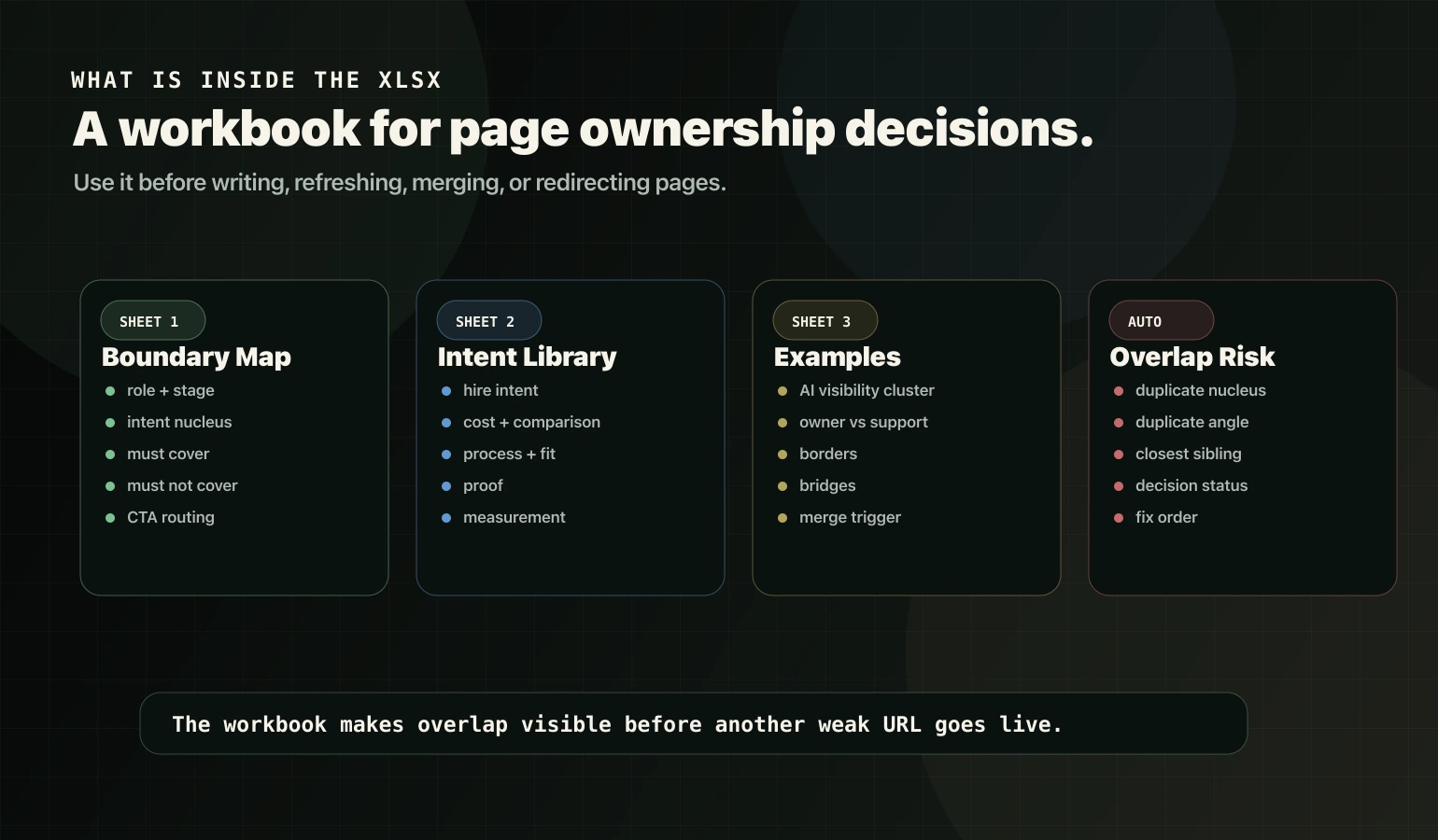
What's inside the XLSX
The workbook includes four sheets.
Sheet 1: Boundary Map
Track each URL with:
- page role: owner, support, proof, or tool,
- buyer stage,
- intent type,
- intent nucleus,
- must-cover sections,
- must-not-cover borders,
- unique angle,
- closest sibling page,
- CTA route,
- internal links,
- status decision: keep, refresh, merge, redirect, or delete.
It also includes an Overlap Risk column to flag duplicated nuclei or duplicated angles inside the map.
Sheet 2: Intent Library
The intent library gives common service-business intent types and the page role they usually belong to:
- hire intent,
- cost or pricing,
- comparison,
- process,
- fit or non-fit,
- proof,
- tracking or measurement.
Sheet 3: Example Boundaries
The example sheet uses an AI visibility cluster so your team can copy the structure instead of staring at a blank template.
Sheet 4: Instructions
The instructions sheet gives the 10-minute process for mapping one page or one cluster.
Why this matters for AI visibility content
AI SEO, AEO, GEO, AI Overviews, and ChatGPT Search content all create the same trap: different labels, same buyer concern.
Weak teams turn every label into a separate page. That is how the site ends up with five pages answering “how do we show up in AI search?” and all five pushing the same CTA.
Google’s generative AI search guidance is not telling site owners to create a separate page for every fan-out variation. It says foundational SEO still matters and warns against overdoing separate pages for query variations just to manipulate rankings or AI responses. That is exactly what this template is designed to prevent.
For the commercial owner page, see the AI SEO plan. For the content-routing system around owner pages, see Support Content.
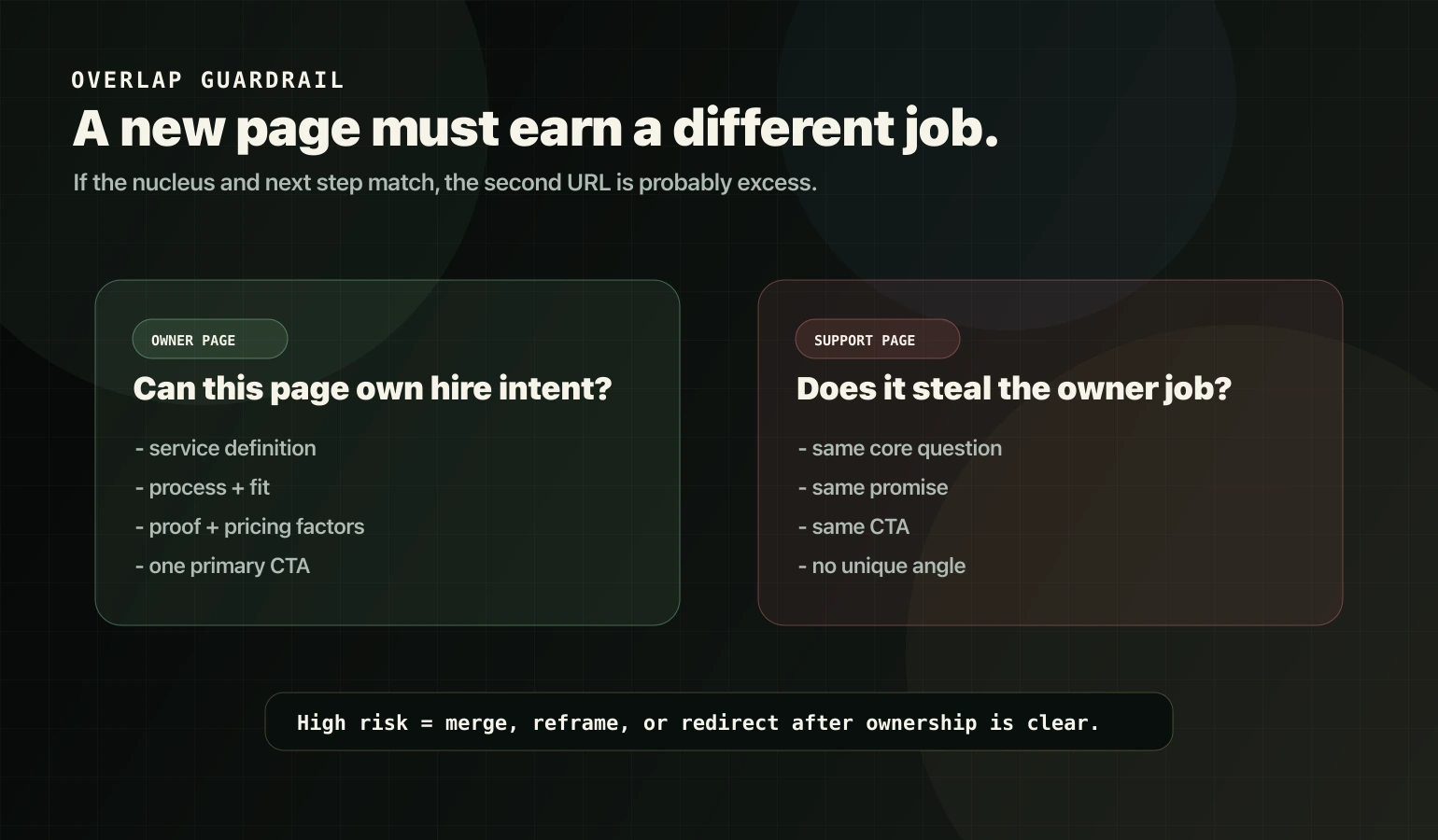
Overlap risk rule
Use this simple rule before publishing:
If two pages share the same intent nucleus and the same next step, do not publish another URL yet.
Decide one of these instead:
- strengthen the owner page,
- reframe the support page around a different job,
- merge the useful sections,
- redirect only after the owner is clear,
- delete the weak duplicate if it has no role.
For service-page/blog overlap, use Fix Service Page/Blog Cannibalization and Blog vs Service Page Keyword Placement.
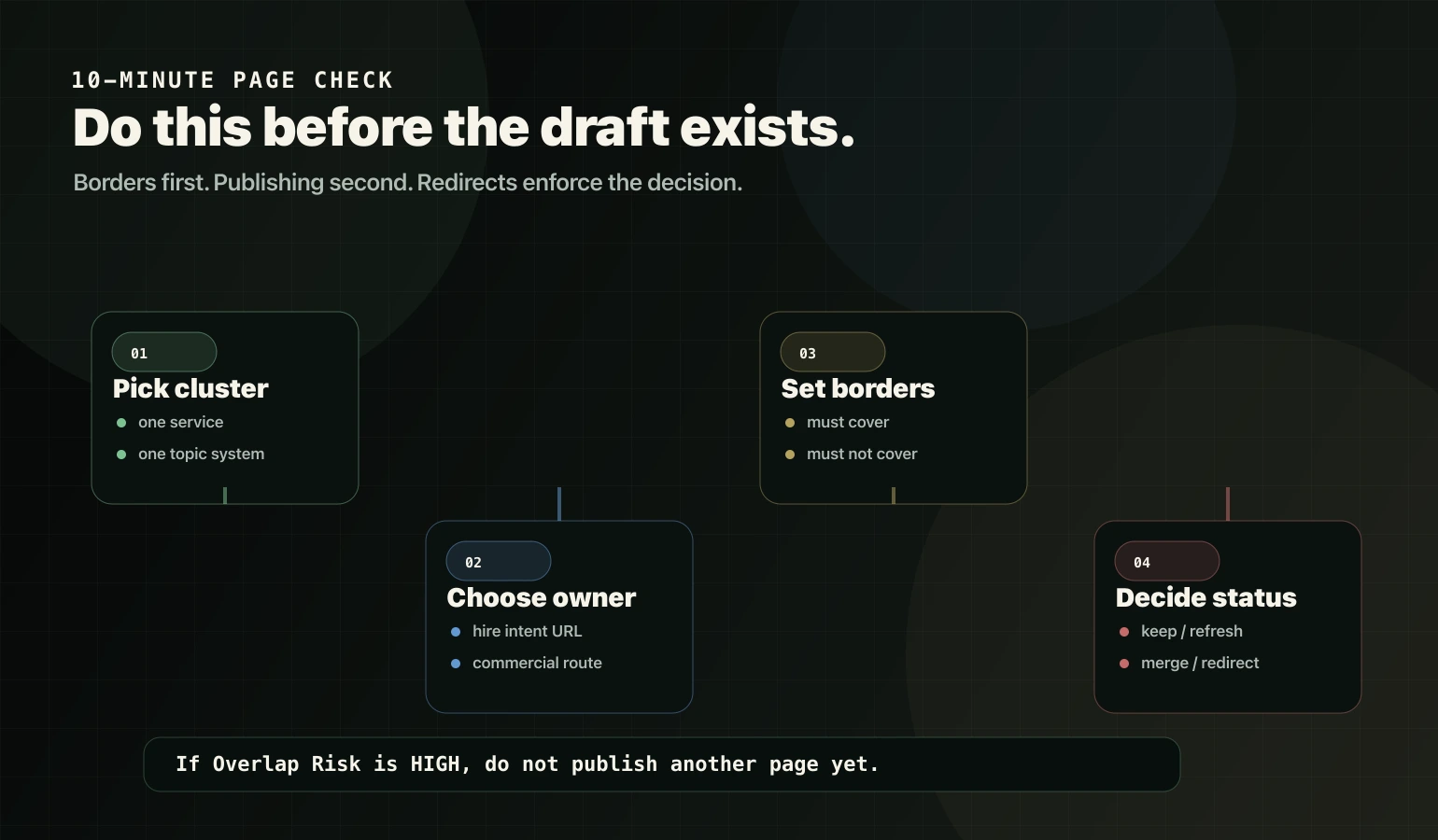
How to use it in 10 minutes per page
- Pick one cluster: one service, location system, comparison set, or AI visibility topic system.
- Choose the owner page: the URL that should win the commercial or primary intent.
- Fill one Boundary Map row for each related page.
- Write the intent nucleus in one sentence.
- Add must-cover sections and must-not-cover exclusions.
- Add the bridge route: support to owner, owner to proof, proof to inquiry.
- If overlap risk is high, stop publishing and decide ownership first.
Common mistakes this prevents
- Publishing separate pages for every AI visibility synonym.
- Scaling fan-out pages that answer the same nucleus.
- Letting support content rank for commercial intent because the owner is weak.
- Repeating the same FAQs across multiple pages.
- Redirecting pages before deciding whether they still have a job.
- Adding internal links without making one owner URL obvious.
Source notes
Questions
Is this only for AI visibility content?
No. It works for any cluster: services, local pages, comparisons, pricing pages, proof assets, and support content.
When should we merge or redirect?
When two URLs share the same intent nucleus and one no longer deserves its own job. Merge useful sections into the owner first, update internal links, then redirect the retired URL.
What is the fastest win?
Map one service cluster: one owner page, three to five support pages, and one proof asset. Then add routing so support pages strengthen the owner instead of competing with it.
The Outside View
See where you stand with Google, AI and your buyers.
Send us your website. In two business days you have it in writing: how you look from the outside, who really competes with you, and the ten fixes that matter. Free.