

SEO for design agencies should help prospective clients find the work they can hire your studio to do. A portfolio can show a strong visual identity while leaving the studio’s contribution unclear: positioning, identity design, website development or all three.
This guide is for principals and marketers seeking clients for their own design business. The worked example uses a branding and identity studio. Start with one service, one relevant project and a clear connection between them.
Research the service behind the portfolio
List the engagements you actually offer and the language prospective clients use when discussing them. Review relevant Search Console queries, then inspect current results in your target market. Are people finding agency services, design inspiration, downloadable assets, jobs or tutorials?
“Visual identity design studio” and “brand identity examples” are illustrative customer searches with potentially different tasks. The first may call for a service explanation; the second may call for work to inspect. Read the results before assigning a page. These examples are not measured keyword opportunities.
“SEO for design agencies” is the studio’s search for marketing help. Keep that separate from the customer searches you investigate for its website. Broad creative-agency wording also needs care if your offer is specifically identity design.
Begin with a project record
The studio, project record and artwork below are fictional teaching material. They do not represent an SEO Informatica client or a measured result.
Assume the studio already has an identity-design service page and a project page displaying artwork without an explanation. Its project record supplies these facts:
| Record | What it establishes |
|---|---|
| Agreed brief | Create a visual identity and templates for a professional-services business’s reports and presentations. |
| Client input | The client supplied positioning and messaging. |
| Studio deliverables | An abstract mark, typographic treatment, color choices and rollout templates. |
| Separate contribution | Another team designed and built the website. |
| Outcome record | Deliverables were completed; commercial performance was not measured. |
The accepted SEO action is to improve those two existing pages. The project can demonstrate identity-design work; it cannot establish that the studio developed the positioning, built the website or increased sales.
Complete the portfolio entry
Use a heading that names the work. For this fictional entry, the title and main heading are “Visual identity and report templates for a professional-services business.” The project explanation could read:
Project example: identity and rollout templates
We developed a visual identity and report and presentation templates from the client’s supplied positioning and messaging. Our work covered the mark, typography, color choices and their application across the agreed materials.
The report-cover layout below shows how the identity carries into one deliverable. A separate team designed and built the website. This project account describes our design contribution; commercial performance was not measured.
Explore our visual identity design service.
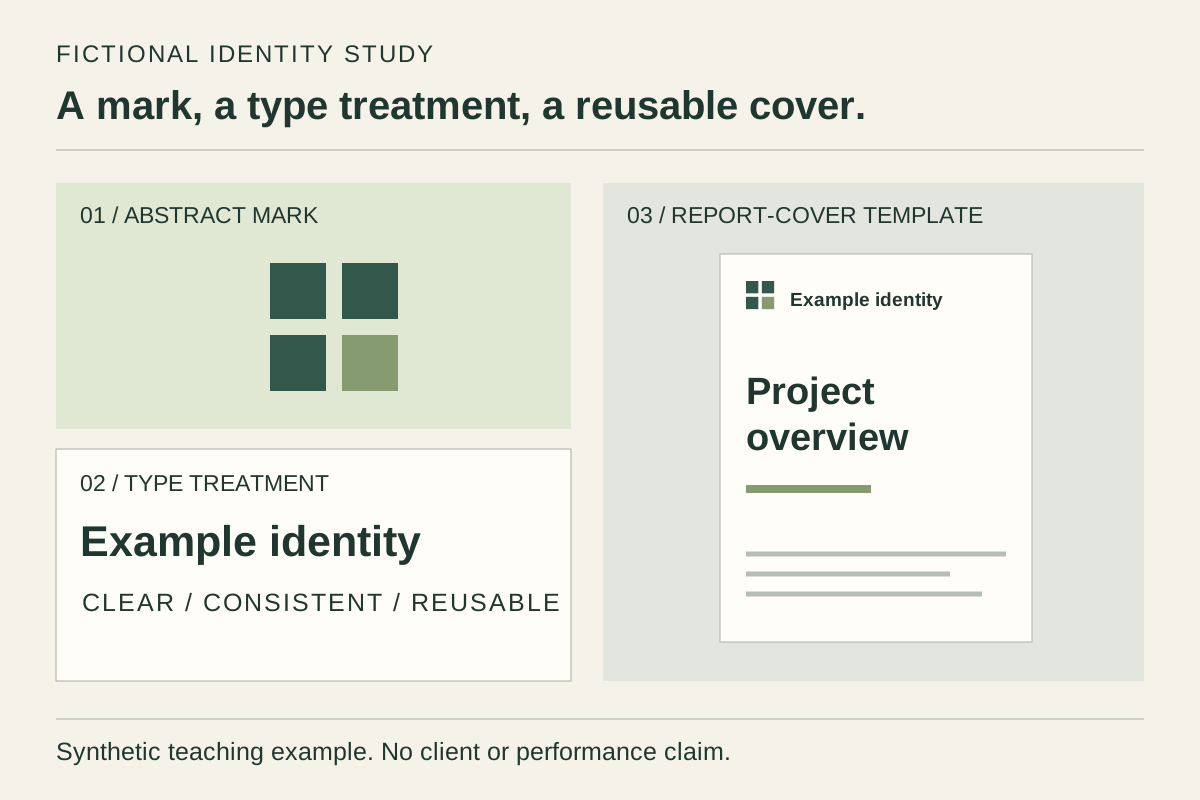
The link jumps to the completed service example below. On a studio’s website, it would lead from the project to the relevant service page.
The caption explains the illustration’s context and status. The alt text describes its visible content for someone who cannot see it. Neither needs a list of target keywords. The project passage does a third job: attributing the work and explaining the engagement.
Google’s image guidance recommends standard image elements, relevant nearby text and useful alt text. It describes using computer vision alongside alt text and page content. A useful explanation helps establish context; it does not replace the visual or guarantee its discovery.
For a real project, confirm what visuals, names and contribution details may be published. If permission is unresolved, do not treat removing the client’s name as sufficient clearance.
Complete the service explanation
The service page answers what a new client can appoint the studio to do. Keep project-specific detail in the portfolio and link to it as an example.
For the fictional studio, use “Visual identity design and rollout templates” as the service title and main heading. Its opening could read:
Service example: visual identity design
We design visual identities and rollout templates for businesses with an agreed positioning and messaging brief. The engagement covers the mark, typography and color choices, together with the report or presentation templates included in the project scope.
We agree the required applications and handover materials before design begins. Positioning development and website design or development are outside this service. View the identity and report-template example to see the identity applied to a report cover.
The two pages now answer different questions: what this project involved and what the service includes. Link the service from the studio’s main services navigation and the project from its portfolio index. Use descriptive labels that match those destinations.
Do not add a professional-services industry page solely because this project exists. The example provides no distinct sector offer or further buyer information for that page. Our service, location and industry page guide explains that decision. Keep existing useful URLs unless a review of their purpose, search history and links supports a change.
Check the published work before changing the platform
Open the project and service pages on a phone. Confirm that the explanation is readable, the image loads and both links reach the intended content. Important project information should be available as page text, not only lettering inside a mockup.
If content appears missing, inspect the returned and rendered page before diagnosing the cause. Google processes JavaScript through crawling, rendering and indexing. An animation, gallery or framework name alone does not demonstrate a rendering failure. A technical SEO review should identify the actual access or indexing issue.
Measure project and service discovery separately
Record both changed URLs and the publication date. Use URL Inspection to check the indexed version and selected canonical. A successful live test does not establish indexing or a ranking gain.
In the Search Console Performance report, compare relevant queries and pages over consistent periods, countries, devices and search types. Review image-search performance separately when investigating visual discovery.
For this example, check whether identity-service searches reach the service page and example-seeking searches reach relevant project content. Separate the agency’s brand, job searches and template downloads from new-client service discovery. A portfolio visit may be useful without proving hiring intent.
If the wrong page appears, review its purpose and internal links before creating another destination. Keep sparse data inconclusive. Impressions, clicks, suitable enquiries and commissioned projects remain different outcomes.
Start with one real service and a project you may publish. Finish its contribution statement, image context and service connection, then record what changes in discovery. Our AI SEO service covers that work for your agency’s own website. Agencies seeking delivery for their clients can use our separate agency partnership route.