

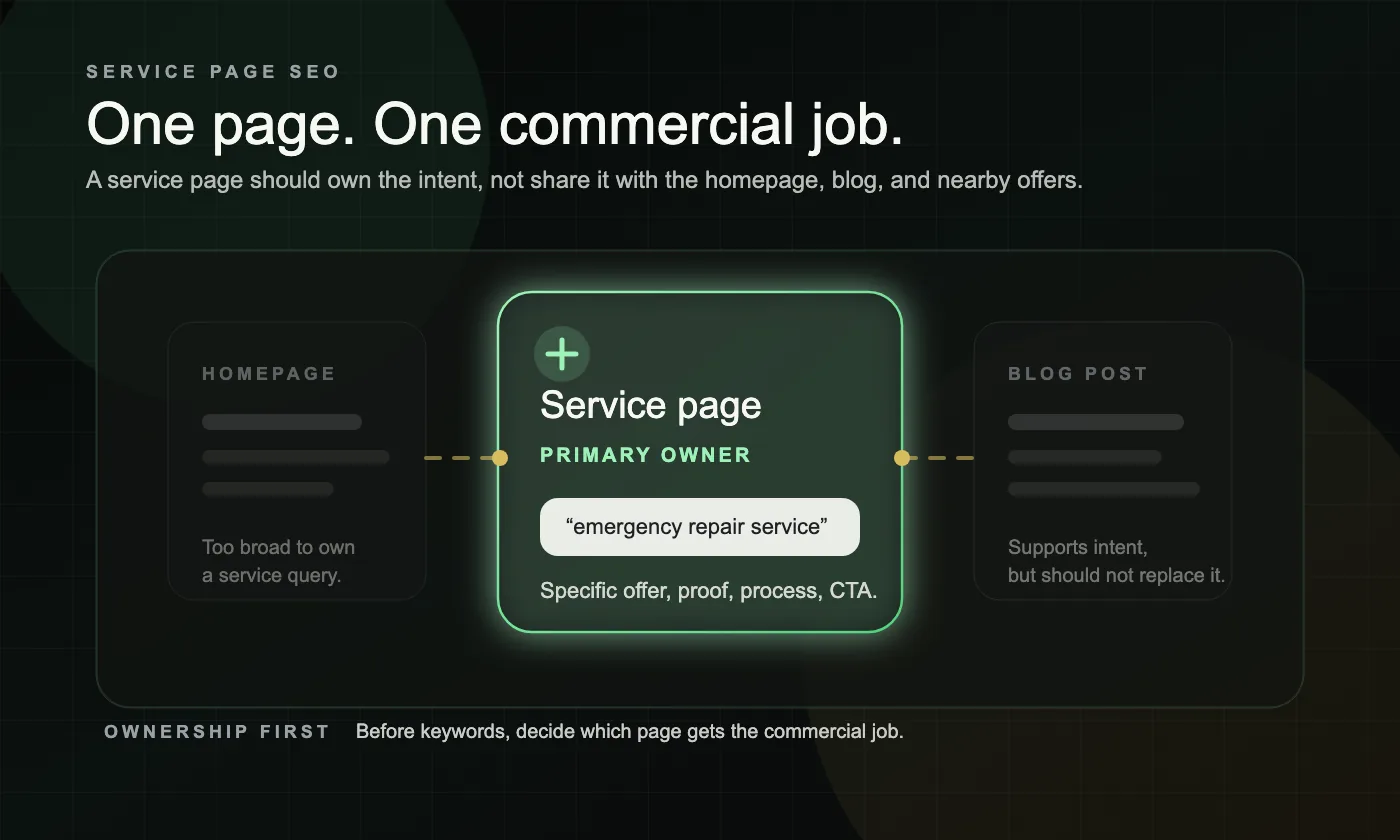
Service page SEO is not adding keywords to a generic services menu. For a service business, it means giving one page one clear commercial job: own the intent, explain the offer, build trust, and make the next step obvious.
If your core pages already have visibility but still feel underbuilt, our Website Rebuild page explains how we rebuild service pages, page ownership, and conversion flow together. https://seoinformatica.com/website-rebuild/
Why does service page SEO matter for service businesses?
Because service pages are usually the pages closest to revenue. Blog posts can attract visits, but service pages have to help a buyer decide whether to contact you.
When a service page is vague, overloaded, or copied from another page, search engines get a weaker signal about what the page should rank for and buyers get a weaker reason to act. That is why service page SEO is not just an on-page task. It is a clarity task.
How should you diagnose a weak service page before using the checklist?
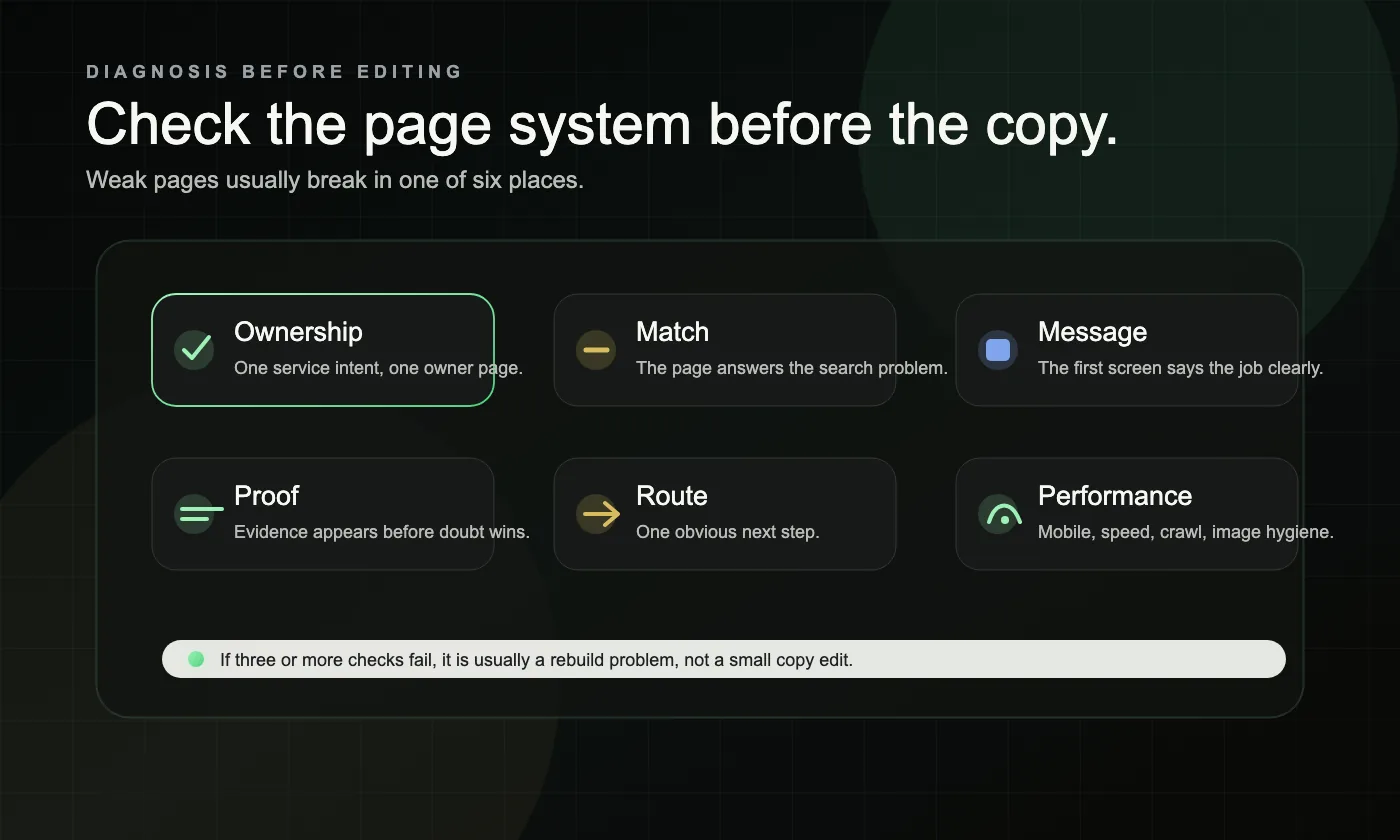
Start with diagnosis before you start editing. The most useful order is ownership, match, message, proof, route, and performance.
| Diagnosis area | What good looks like | Common red flag | What to fix first |
|---|---|---|---|
| Ownership | One page clearly owns one service intent | Homepage, blog, or multiple service pages compete for the same query | Decide which page should own the intent |
| Match | The page answers the problem implied by the search | The page is too broad, too early, or off-topic | Rewrite the page around the real service problem |
| Message | The first screen says what you do, who it is for, and why it matters | Generic hero copy or vague claims | Rewrite the H1, intro, and CTA area |
| Proof | The page includes process, trust, fit, and evidence | No testimonials, no process, no explanation of why to choose you | Add decision-support blocks before writing more copy |
| Route | One clear next step is easy to take | Too many CTAs, buried form, or weak mobile contact path | Simplify the primary CTA and contact flow |
| Performance | The page loads well, works on mobile, and is easy to crawl | Heavy layout, slow load, weak image handling, or broken internal links | Fix obvious friction on the live page |
If one area is weak, you may need a targeted improvement. If three or more areas are weak, you are usually looking at a rebuild problem instead of a simple copy edit.
What should every service page include?
Every service page should answer the buyer’s first decision questions without making them hunt. The page should explain the service, the fit, the process, the proof, and the next step in one coherent flow.
Use this checklist on every important service page:
- One primary service intent, not a pile of loosely related services
- A clear H1 that names the service in plain language
- An opening section that says who the service is for and what outcome it helps create
- A short explanation of the problem the service solves
- A section on what is included, how it works, or what the process looks like
- Proof that reduces doubt, such as testimonials, examples, credentials, or trust cues that are actually visible on the page
- Fit guidance so the wrong prospect can self-select out and the right prospect feels more certain
- One primary CTA above the fold and another later in the page
- A short FAQ section based on real buyer hesitation
- Relevant internal links to supporting pages, not random “read more” links
- Images or visuals that support understanding instead of adding clutter
- Basic structured data only where it accurately reflects what is visible on the page
A good service page does not need to be flashy. It needs to be easy to understand, easy to trust, and easy to act on.
How do you write titles, headings, and snippets that clarify intent?
Titles and headings should clarify the page’s job, not decorate it. One primary service phrase in the title and H1 is usually enough, and the rest of the structure should answer the next logical buyer questions.
That usually means:
- a title that clearly names the service
- an H1 that matches the visible page purpose
- H2s built around cost, fit, process, timing, outcomes, or FAQs when those questions matter
- a meta description that works like a short pitch, not a keyword dump
Keep the language direct. If the title, H1, and first paragraph all sound like three different pages, the page is sending mixed signals.
Google’s SEO Starter Guide is still the cleanest baseline for page titles, snippets, and image context if you want a simple reference. https://developers.google.com/search/docs/fundamentals/seo-starter-guide
How do internal links and supporting content help the right page rank?
Internal links help search engines and users understand which page should own the service intent and which pages only support it. A strong service page should not be isolated from the rest of the site.
Look for these red flags:
- the page is only reachable from a dropdown or footer
- blog posts mention the service but never link to the service page
- several pages use vague internal links like “learn more”
- related service pages link inconsistently or not at all
The fix is usually simple. Link to the service page from relevant blog posts, nearby service pages, and any hub page that helps a buyer move toward a decision. Use descriptive link text inside natural sentences.
If you need to turn this into working page specs, start with the service page brief template, compare your URLs against page-role cleanup examples, and check intent routing for service pages before publishing more support content.
Google’s link best practices are still the right reference for descriptive internal links and crawlable page relationships. https://developers.google.com/search/docs/crawling-indexing/links-crawlable
For the support layer, our content funnels approach keeps one commercial page in control while blogs expand visibility around real buyer questions. https://seoinformatica.com/content-funnels/
What trust and decision elements should buyers see before they contact you?
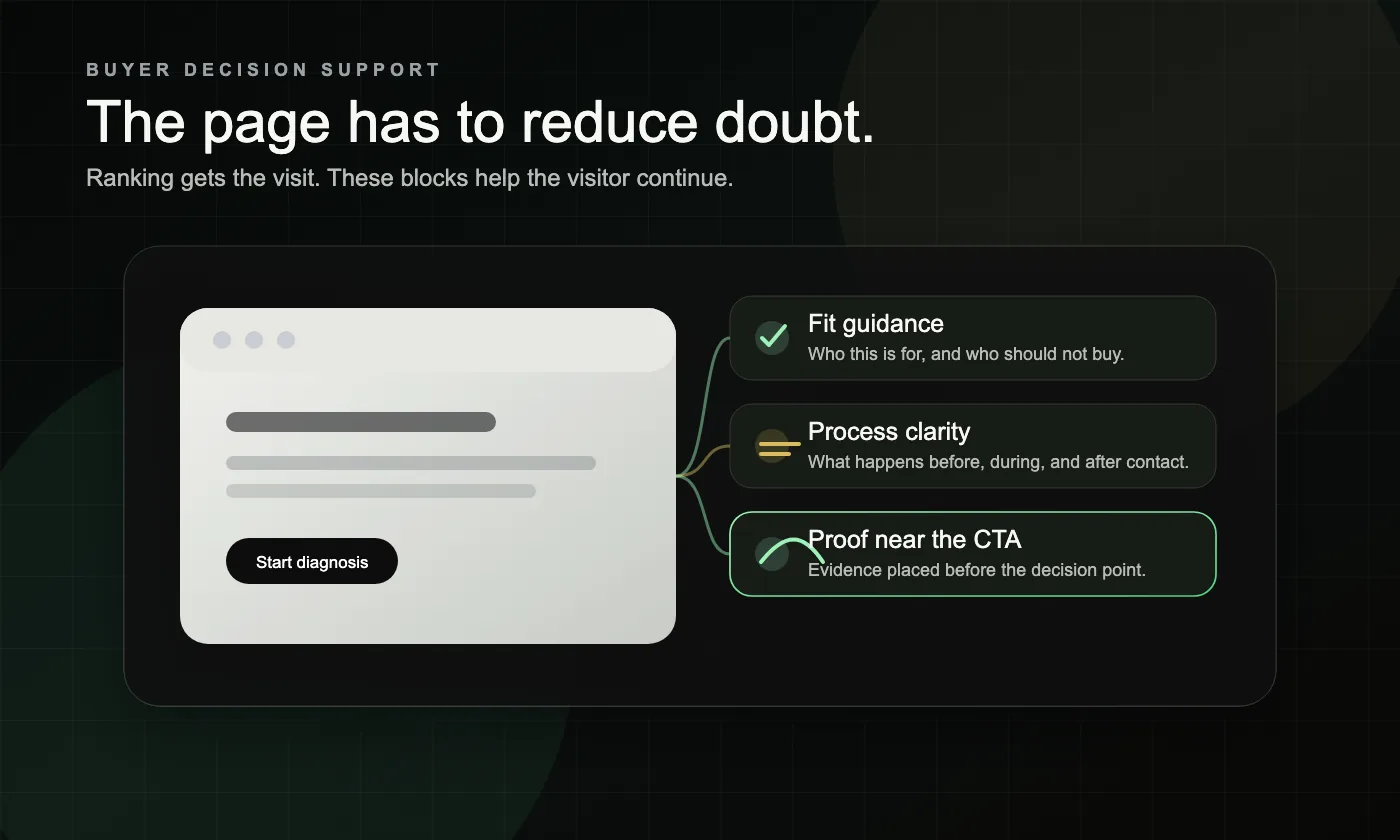
A service page can rank and still lose the lead if it does not reduce uncertainty. Buyers need enough evidence to believe the service fits their situation, that your process is real, and that the next step will not waste their time.
The most useful trust blocks are usually practical, not flashy:
- a short process section
- fit or non-fit guidance
- proof near the CTA, not buried at the bottom
- FAQs that handle timing, scope, or expectations
- a clear statement of what happens after contact
This is also where many pages become generic. They talk about being experienced, reliable, or customer-focused, but they never show how the work actually works or why this service is the right fit for this buyer.
How do speed, mobile usability, images, and schema affect performance?
These elements support the page. They do not rescue a weak offer, but they do remove friction and help both users and search systems interpret the page more cleanly.
Images should be relevant, compressed, and placed near the text they support. Mobile layout should make the CTA, phone number, form, and proof easy to use without pinching or hunting. Structured data should only describe what is really on the page.
Use Search Console to review which queries and pages are actually driving clicks before you rewrite anything. https://developers.google.com/search/docs/monitor-debug/search-console-start
Then test those same URLs in PageSpeed Insights to catch obvious mobile and performance friction. https://developers.google.com/speed/pagespeed/insights/
What does this look like in a real service business example?
In real projects, weak service pages usually fail because they try to do too much or say too little. Two composite examples make the pattern easier to see.
Example 1: A home service company had one broad page covering emergency repairs, maintenance, and installations. The page attracted some search traffic, but the headline was generic, the service details were thin, and the CTA did not reflect urgent intent. The fix was to let one page clearly own the emergency service, rewrite the first screen around that need, add process and trust cues, and link to it from relevant educational content.
Example 2: A B2B service business had separate pages for related offers, but the copy was nearly interchangeable. Search engines and buyers were seeing the same promise on multiple URLs, so no page felt authoritative. The fix was to give each page a clearer service role, rewrite the headings around distinct decision questions, and add proof that matched each offer instead of reusing the same generic block everywhere.
In both cases, the real win was not “more SEO.” The win was making the right page easier to understand and easier to choose.
What should you fix first on a weak page?
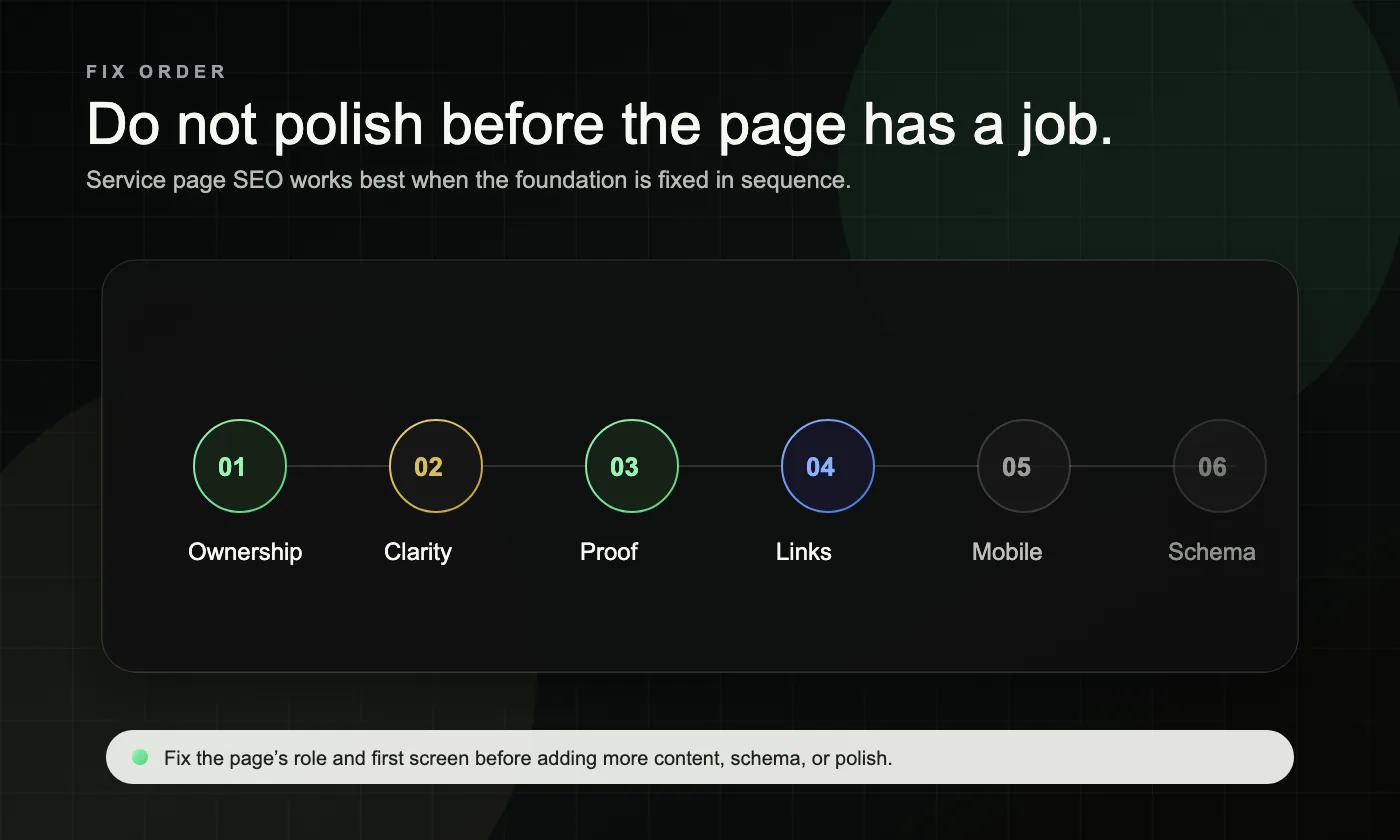
Fix page ownership and above-the-fold clarity before you polish secondary details. If the page still looks generic after five seconds, metadata tweaks and extra paragraphs will not solve the real problem.
Use this order:
- Decide which service intent the page should own
- Rewrite the opening section so the service, fit, outcome, and CTA are unmistakable
- Add process, proof, and fit guidance
- Remove overlap from other pages that are competing for the same job
- Tighten internal links from support content and nearby pages
- Improve mobile usability, speed, and page hygiene
- Add or clean up structured data only after the page content is clear
If this checklist shows a system problem rather than a single-page problem, our Website Rebuild path is built for that kind of fix. https://seoinformatica.com/website-rebuild/
What mistakes keep this page from performing?
Most weak service pages fail in predictable ways. The page either tries to rank for too many services, says too little to build trust, or gives the visitor too many unclear next steps.
Common mistakes and red flags include:
- one page trying to cover every service variation
- a vague H1 like “Professional Solutions” or “What We Do”
- copied or lightly edited sections reused across several service pages
- no process section and no explanation of what happens after contact
- proof blocks with no context or relevance to the service on the page
- a long or clumsy form as the only conversion path
- blog posts ranking while the service page stays weak and underlinked
- AI-written FAQ filler that does not answer real buyer hesitation
A useful rule is this: if a buyer can land on the page and still ask “What exactly do you do here?” the page is not ready to do its job.
Frequently asked questions
How many service pages should a service business have?
Enough to give each meaningful commercial intent its own clear home. That usually means one page per core service or tightly related service cluster, not one giant page for everything and not a separate page for every tiny wording variation.
How long should a service page be for SEO?
There is no useful universal number. The page needs enough depth to explain the service, the fit, the process, the proof, and the next step without filler.
Should every service page include pricing?
Not always. But every page should reduce uncertainty. If exact pricing is not practical, explain what affects scope, timing, or estimate range so the visitor is not left guessing.
How often should you update service pages?
Review them whenever the offer, service area, proof, process, FAQ set, or buyer objections change. Core service pages should not stay frozen while the business evolves around them.
Does every service page need schema?
Not necessarily. Add structured data when it accurately describes the content and helps reinforce page meaning, but do not treat schema as a substitute for clear content and strong page ownership.
Get a free clarity call.
If your service pages feel active but not useful, the next step is not more guessing. Get a free clarity call. https://seoinformatica.com/start/