

Mapping buyer questions to pages helps you decide where useful answers belong.
Several pages can appear for related searches without causing a problem. Compare what each page helps the reader do before deciding that their purposes overlap.
Use intent routing to answer one practical question:
Which page best answers this buyer question?
If your core pages are unclear, first check whether focused changes to the copy, links or navigation can fix them. Use the repair-or-rebuild guide when the site’s structure may prevent those changes.
What to fix first
- Intent routing means every important query has a best page on your site, and the site structure supports that ownership.
- Page roles describe the decisions each page supports and help you spot repeated answers.
- Before publishing another page, check whether an existing answer already meets the need.
What is intent routing?
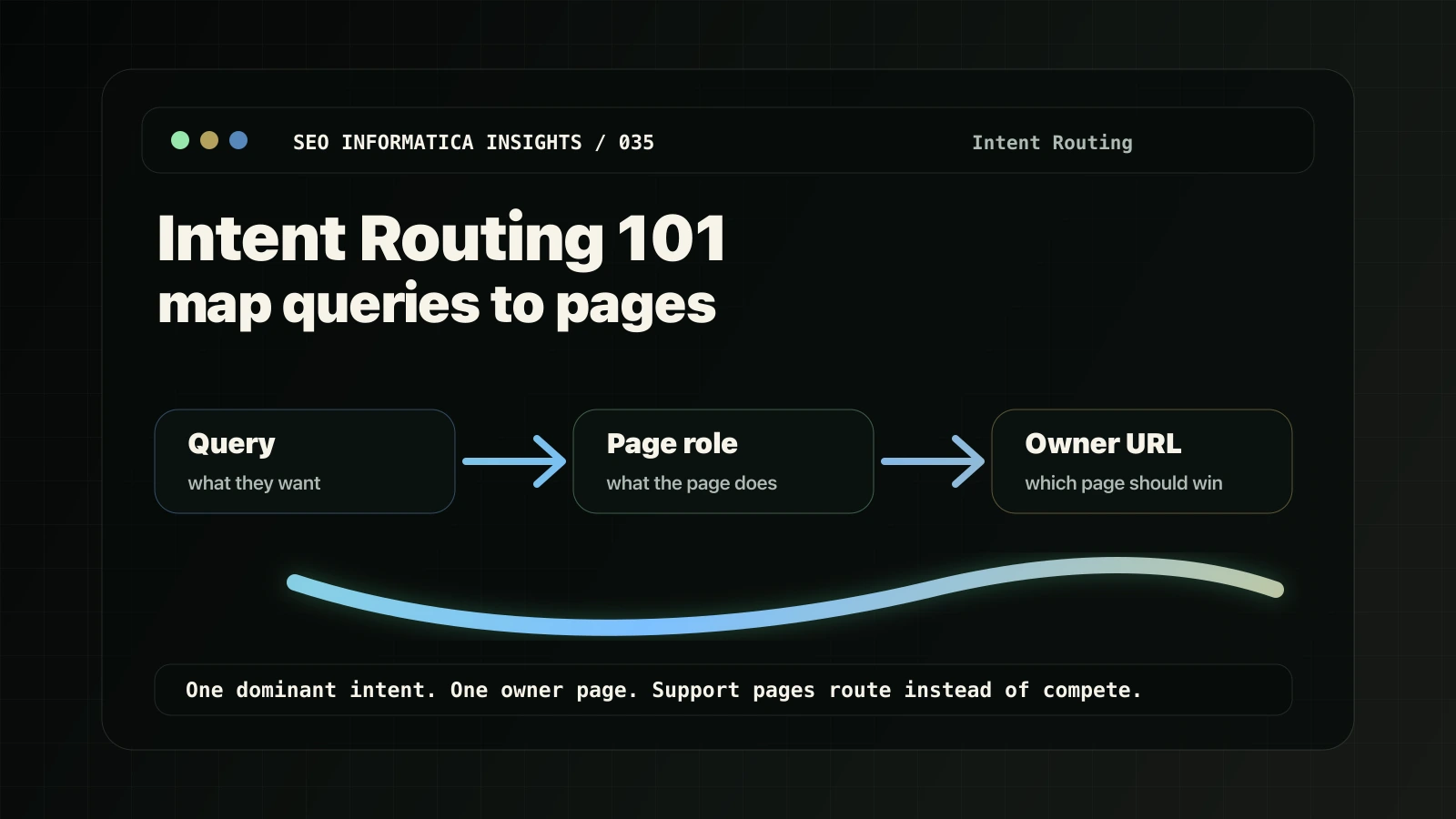
Intent routing is the practice of mapping search intent, meaning what a person actually wants, to the right page type, meaning what that page is supposed to do.
It is not “make a page for every keyword.” That is how weak service sites turn into a pile of near-duplicate URLs.
Intent routing means:
- Choose ownership: identify a clear home for the main answer.
- Assign supporting roles: other pages answer buyer questions and route people to the owner page.
- Build internal routes: links, navigation, and content flow reinforce the owner page.
Choose a clear home for each main answer. Shared searches alone do not establish a conflict; use the keep, reposition or combine guide when two pages appear to repeat the same job.
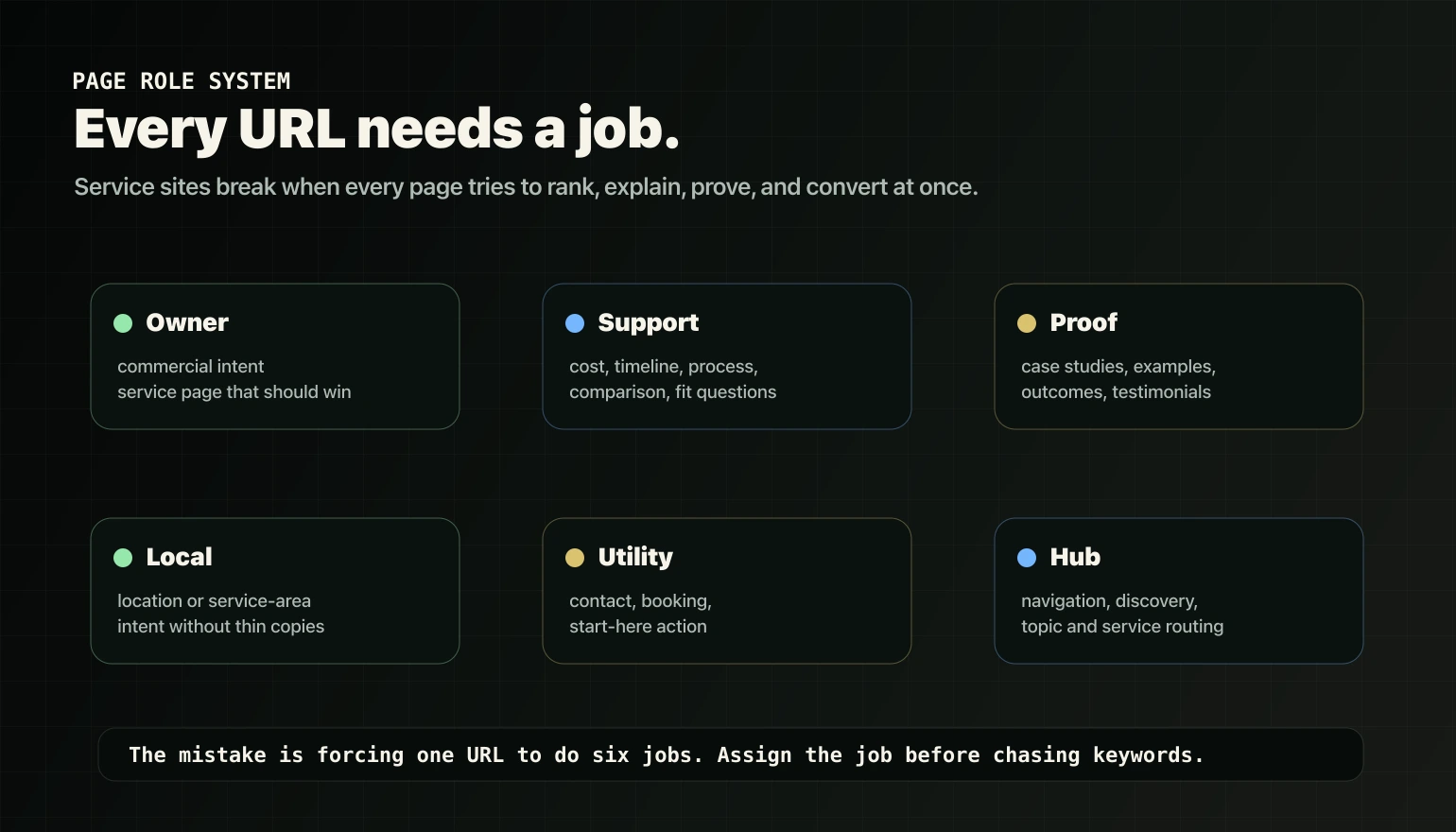
The six page roles every service site needs
Most service-business sites only think in two page types: service pages and blog posts. That is why routing breaks.
Here is the cleaner system.
1. Owner pages
Owner pages are your primary money pages. Their job is to convert commercial intent, meaning people who are looking to hire, buy, book, or start a serious evaluation.
One owner page should own one core service intent.
2. Support pages
Support pages answer buyer questions that show up before the purchase: cost, timeline, process, comparisons, alternatives, fit, risk, and “is it worth it” questions.
Their job is to pre-sell and route to the owner page.
3. Proof pages
Proof pages include case studies, testimonials, examples, before-and-after context, and outcome pages.
Their job is to reduce risk and strengthen the decision.
4. Local pages
Local pages or service-area pages match location-driven intent.
Their job is to support local relevance without duplicating the same service page across dozens of thin city variants.
5. Utility pages
Utility pages capture action: contact, booking, application, start-here, or assessment pages.
Their job is not to explain everything. Their job is to make the next step clear.
6. Hub pages
Hub pages help users and search systems understand the site structure. They route people to the right service, support, proof, or action page.
Map queries to pages: a practical routing table
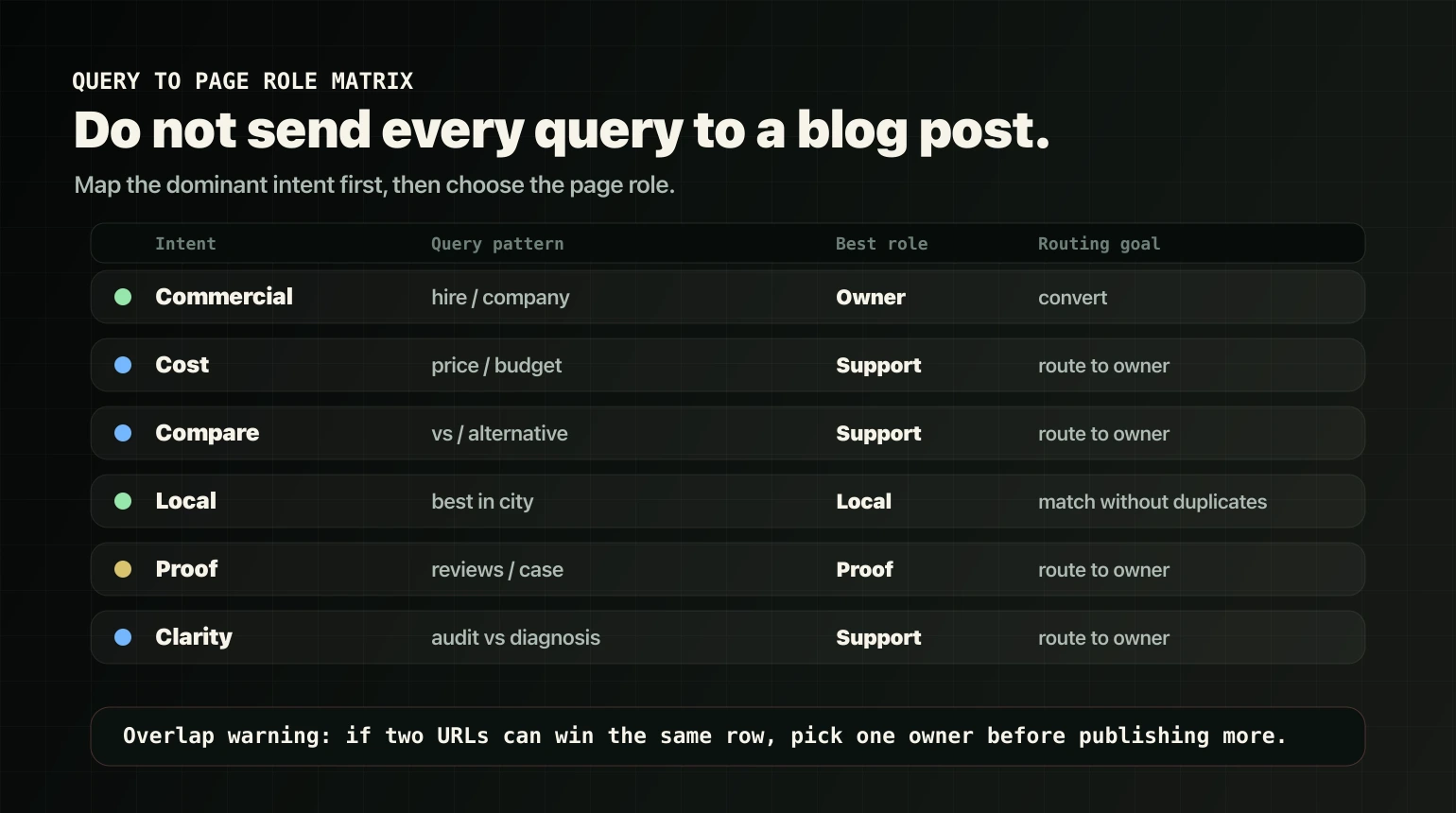
Use this as a starting point. The goal is not perfection. The goal is ownership and clarity.
| Query type | What the person wants | Best page role | Routing goal |
|---|---|---|---|
| “[service] company” or “hire [service]” | Buy or hire now | Owner page | Convert to CTA |
| “[service] cost” or “how much does [service] cost” | Price expectations and qualification | Support page | Educate, then route to owner |
| “[service] timeline” or “how long does [service] take” | Delivery expectations | Support page | Reduce uncertainty, then route to owner |
| “[service] vs [alternative]” | Compare options | Support page | Help the decision, then route to owner |
| “best [service] in [city]” | Local shortlist | Local page or owner page with local module | Match local intent without duplication |
| “[brand] reviews” or “[brand] case study” | Proof you can deliver | Proof page | Build trust, then route to owner or action |
| “SEO audit vs diagnosis” or “how to choose…” | Clarity before buying | Support page | Teach framework, then route to action |
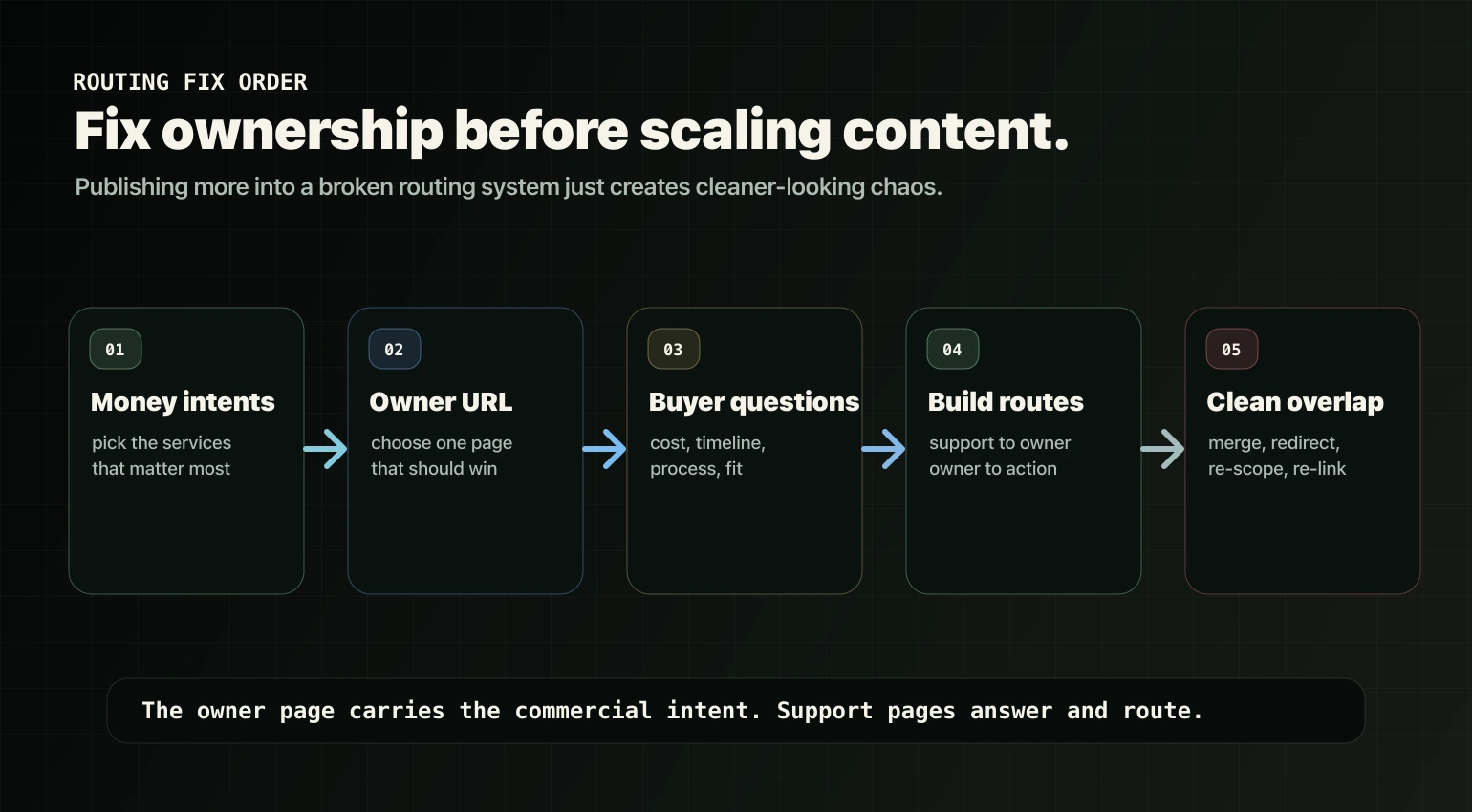
The five-step method: route intent without creating overlap
Step 1: pick your money intents
Write down the top one to three services you actually want to sell.
If you try to route ten services at once, your structure gets messy fast. Prioritize the services that matter most commercially.
Step 2: assign one owner page per service intent
For each service, identify the page that best explains the offer and helps the buyer decide.
If several pages seem to offer the same service, inspect their audiences, scope and useful differences. Keep distinct answers; clarify or investigate genuine repetition before changing a URL.
Step 3: list the buyer questions before purchase
These become support pages or sections:
- cost,
- timeline,
- process,
- who it is for and who it is not for,
- alternatives and comparisons,
- objections and risk reducers.
Step 4: build the route
The basic route for most service sites is simple:
- Support pages answer the question and link to the owner service page.
- The owner page explains the service, proof, fit, process, and next step.
- The owner page routes to the primary action.
If your owner pages are clear but the support layer is thin, Support Content is the stronger next move.
Step 5: fix overlaps before scaling content
Compare what each page answers, what useful material it contains and what the available evidence shows before adding another page.
The next action depends on what you find:
- Keep both when they help with different decisions. Investigate further when the evidence is unclear.
- Clarify a purpose when a useful page repeats an offer instead of answering its own question.
- Combine genuine repetition when one page can preserve the useful material and serve the reader better.
- Redirect an approved retirement or move only to an appropriate replacement. An older page or a lower position is not, by itself, a reason to redirect it to a service page.
- Connect related answers with links that explain why the destination is useful.
Common routing mistakes
Mistake 1: blogging your way into cannibalization
A blog that repeats the service offer may need a clearer purpose. First check whether it actually duplicates the same buying decision or answers a useful question of its own.
Fix: keep commercial intent owned by the service page. Use support content for buyer questions and route it into the owner page.
Mistake 2: creating a service page for every keyword variation
Service sites often end up with multiple near-identical pages: consulting, consultancy, business consulting, business advisory, strategy consulting, and so on.
Fix: choose one owner page and handle variations with clear headings, sections, examples, and internal anchors when useful.
Mistake 3: duplicating local pages without real differentiation
Thin location pages often create more problems than they solve: duplication, weak value, and internal competition.
Fix: decide whether local intent needs dedicated local pages, a service-area architecture, or local modules on owner pages.
Mistake 4: leaving owner pages without decision support
Some service pages are just marketing language with no proof, process, qualification, or next-step clarity.
Fix: add decision-support modules: proof near the decision point, process steps, fit guidance, FAQs, pricing factors, timeline factors, and one clear CTA.
Signals worth investigating
These observations can justify a closer look, but none proves a routing problem on its own. Check the page content, reporting scope and buyer need before choosing a change:
- a blog post outranks your service page for service-intent queries,
- two or more service pages trade positions for the same queries,
- Search Console shows the same query triggering multiple pages,
- buyers land on informational pages and never reach the service page,
- you get leads, but they are consistently the wrong fit.
Repair, rebuild or support content?
Start with a focused repair when the existing site can support the change. Clearer service copy, a useful link or a navigation adjustment may be enough to help a buyer reach the right answer.
Consider a rebuild when the templates, architecture or platform prevent the changes the business needs. Unclear or overlapping pages alone do not establish that case. The repair-or-rebuild guide helps you compare the options; our Website Rebuild page explains the work when rebuilding is the agreed route.
Support content may come next when your service pages are already clear but buyers still need answers about cost, comparisons, fit or process before they choose. First check which useful answers already exist, then fill the gaps. Our Support Content page explains that work inside the plan.