

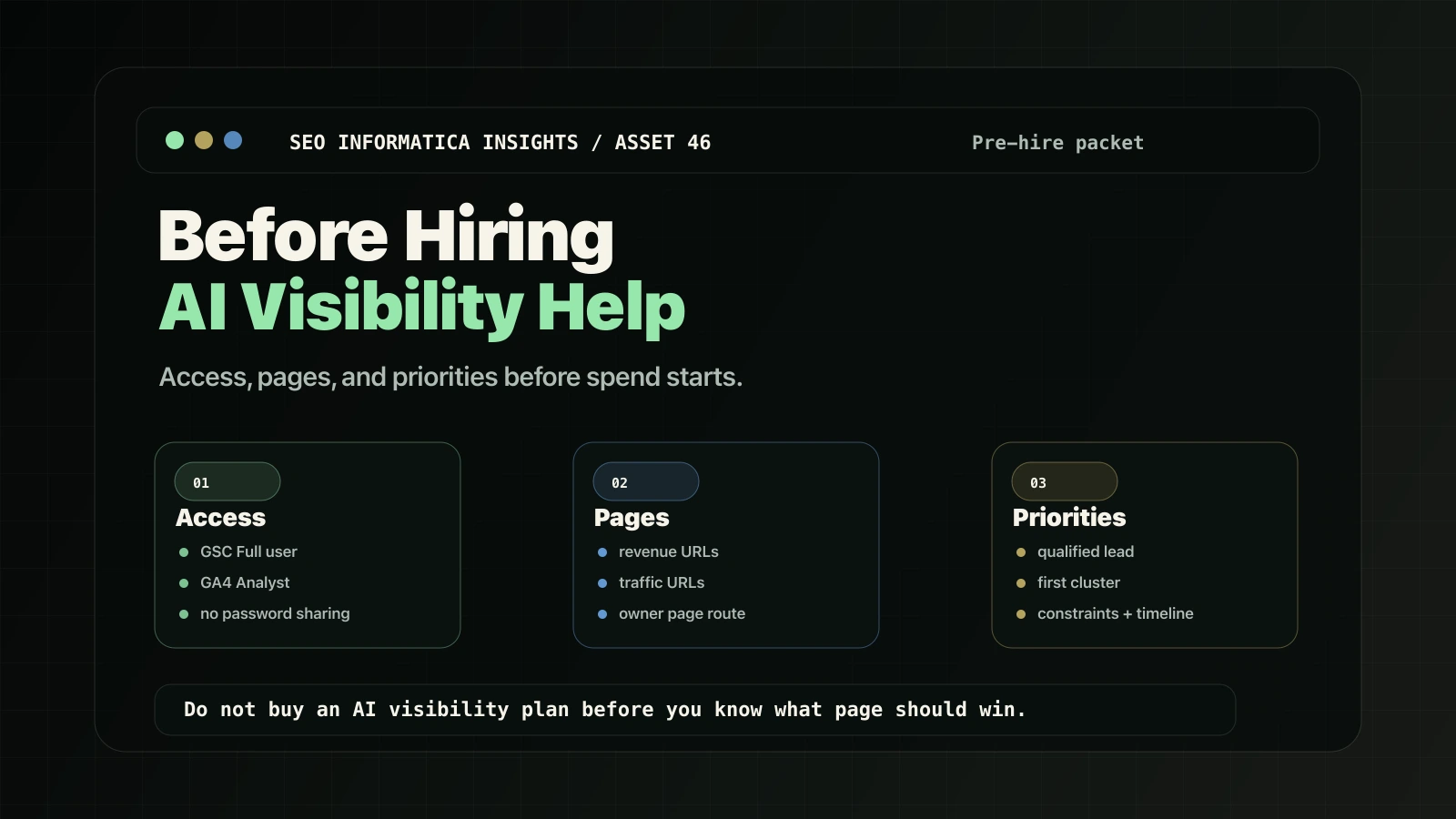
The fastest way to waste money on AI visibility is to hire help before you have clarified three things:
- Access: so the partner can diagnose reality instead of guessing.
- Pages: so the right URL owns the right intent.
- Priorities: so the work compounds instead of drifting.
This is the pre-hire packet to assemble before you ask for strategy, production, or implementation help.
For a diagnosis-led plan, start with Search + AI Visibility or use the Free Clarity Call route.
Why this matters
Google's own SEO hiring guidance pushes owners to understand how the business makes money, how search can help, and who the competitors are before hiring. That is the right filter.
But the advice is too abstract if you are trying to start work next week.
The practical version is simple: give the right access, choose the right pages, and define what success means before the first audit or AI visibility plan is written.
Part 1: Access
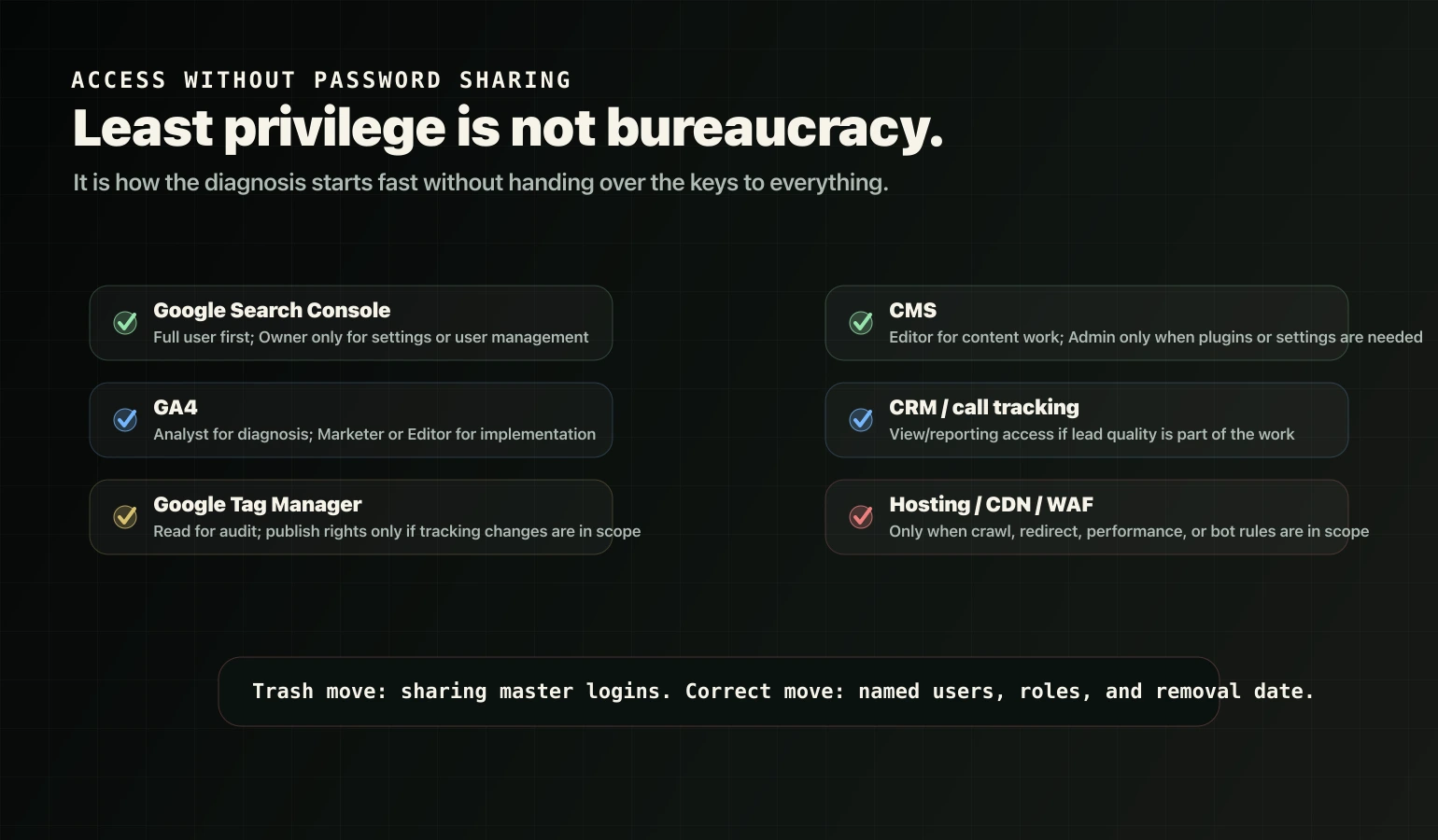
Rule: do not share master passwords. Add named users with least-privilege roles.
Most AI visibility work still depends on ordinary SEO truth: crawl access, indexation, query-to-page alignment, on-page clarity, proof, and conversion routing. The partner cannot diagnose that from a website URL alone.
Google Search Console
Use Search Console for crawl/index diagnostics, query-to-page alignment, wrong-page ranking, and visibility signals.
Recommended access: Full user.
Search Console uses Owner, Full user, and Restricted user permissions. Full user is the right starting point for most diagnosis and review work. Grant Owner only when the partner must manage settings or users.
If the partner needs to request indexing through URL Inspection, Google requires Owner or Full user access.
GA4
Use GA4 to connect visibility to sessions, conversion events, landing pages, and lead paths.
Recommended access: Analyst for diagnosis and reporting.
Move up to Marketer or Editor only when the partner is implementing audiences, events, key events, or configuration changes. Administrator is not a default agency role; it is for managing access or high-level settings.
Google Tag Manager
Use Tag Manager when tracking changes are part of the scope.
Recommended access: Read for audit. Give edit, approve, or publish rights only if tracking implementation is part of the engagement.
CMS access
Most AI visibility work is not magic. It is service-page structure, internal routing, proof placement, answer blocks, and decision support.
Recommended access: Editor-level for content work. Admin only when plugin, theme, or settings changes are required.
Hosting, CDN, and WAF
Do not hand over hosting or root credentials on day one.
Provide hosting, CDN, or WAF access only if the scope includes redirects, canonicals, crawl-blocking fixes, performance work, bot allowlisting, or security-layer problems.
If ChatGPT search visibility matters, OpenAI documents OAI-SearchBot as the crawler used for ChatGPT search results and recommends allowing it in robots.txt plus published IP ranges. That usually means the partner may need robots.txt, WAF/CDN bot rules, or server-log context.
Access checklist
- Search Console property access: Full user.
- GA4 property access: Analyst minimum.
- Tag Manager access: Read minimum if tracking is in scope.
- CMS editor access or staging access.
- Call tracking or CRM reporting access if leads are tracked outside GA4.
- One technical contact for implementation questions.
Do not share your Google account password. Do not share hosting root credentials on day one. Do not give Admin everywhere just in case.
Part 2: Pages
Most AI visibility work fails because the wrong pages get improved.
Build two URL lists before hiring.
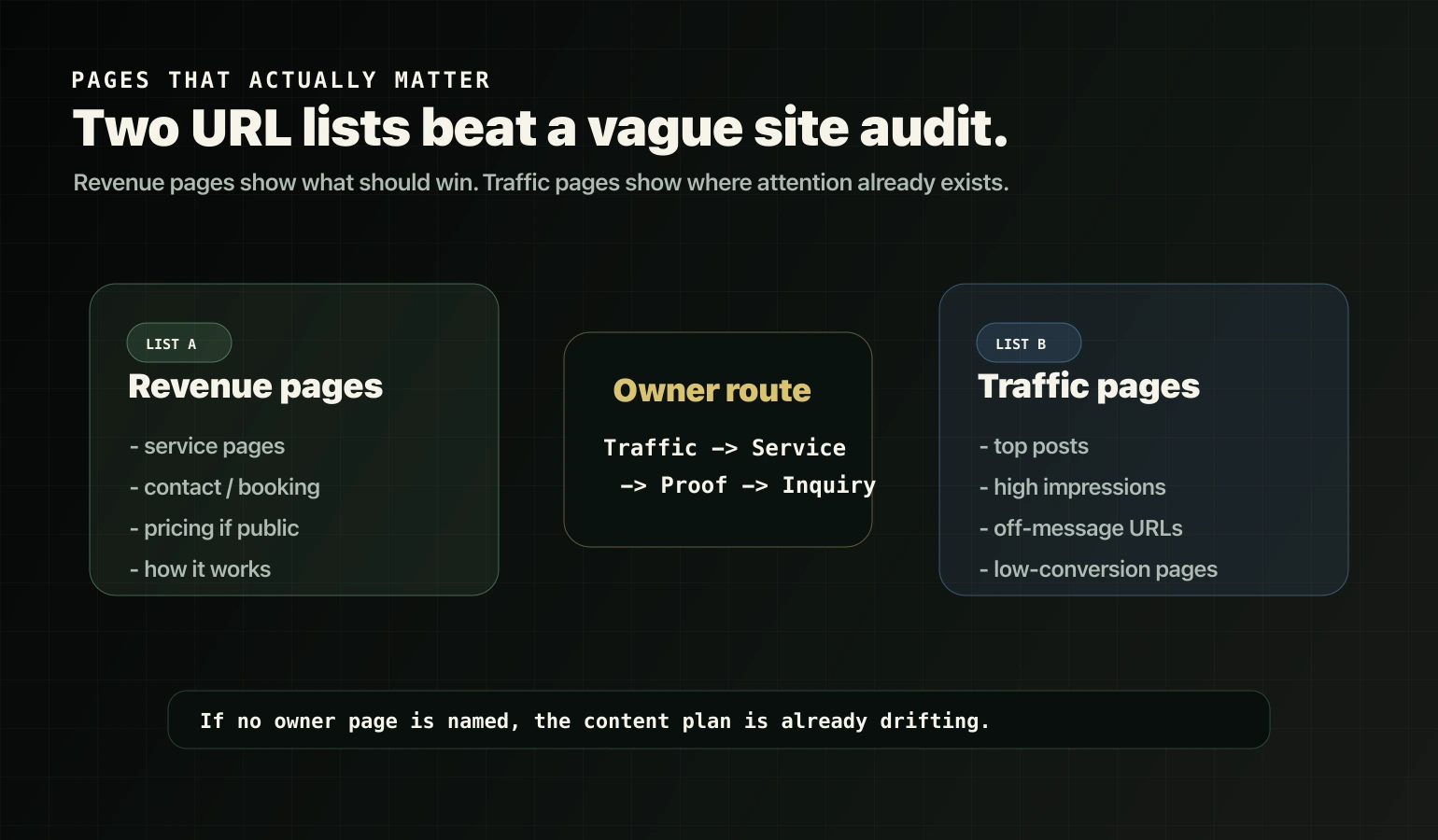
List A: revenue pages
Include five to ten URLs:
- service pages,
- contact or booking page,
- pricing page if you have one,
- how-it-works page if you have one,
- one to two services you want to win first.
List B: traffic pages
Include ten to twenty URLs:
- highest-traffic posts or guides,
- pages with high impressions but weak conversion,
- pages that rank but feel off-message,
- pages that attract attention but do not route into inquiry.
Why both lists matter:
Traffic page -> owner service page -> proof -> inquiry.
If nobody defines the owner service page, support content starts behaving like a service page. That is how cannibalization gets created while everyone thinks they are "building topical authority."
Part 3: Priorities
This is the part most teams skip, then blame SEO for taking too long.
Before hiring, define four priority inputs.
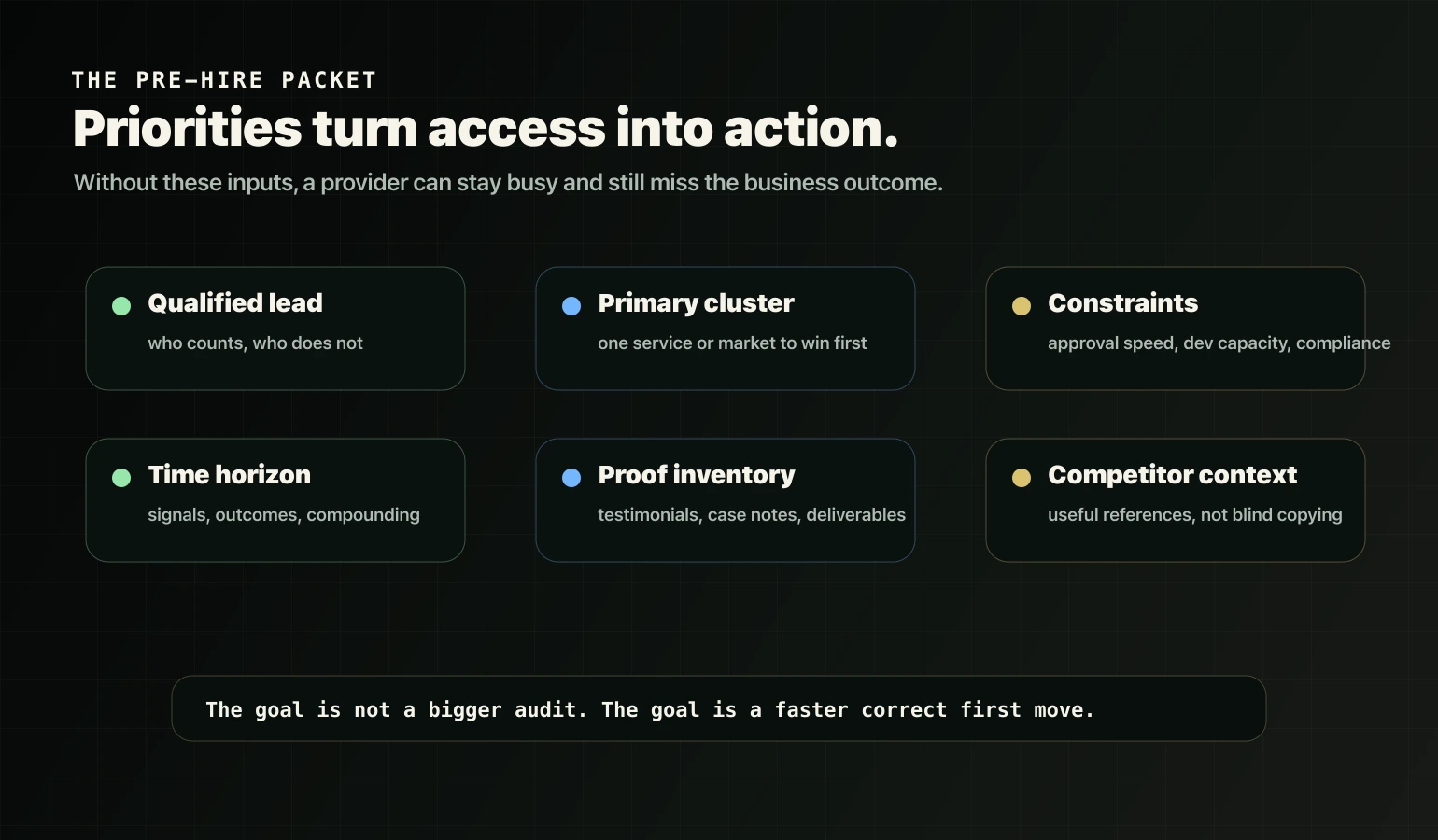
What counts as a qualified lead?
Write it down.
Example:
- Qualified: inquiry from a business in the right market with the right problem, budget, and urgency.
- Not qualified: students, job seekers, irrelevant geos, tiny budgets, vendor pitches.
This lets the partner design routing, fit/non-fit blocks, proof, and measurement around business value instead of traffic vanity.
What cluster should win first?
Pick one primary service cluster, region, or buyer type.
Compounding starts when one cluster becomes clear, strong, and internally supported. Trying to win everything at once is how a site becomes a pile of disconnected pages.
What constraints are real?
Share the boring blockers:
- who approves copy,
- who implements technical changes,
- how fast dev work can ship,
- what claims are legally sensitive,
- what the platform cannot change.
Strategy that ignores constraints is theater.
What timeline are you expecting?
Separate signals, outcomes, and compounding.
Signals are early indicators: crawl, indexation, impressions, query alignment.
Outcomes are business results: qualified sessions, forms, calls, booked calls, CRM movement.
Compounding happens when better page roles, proof, and routing make the next improvement easier.
The pre-hire packet
Create a shared folder with this structure.
01 Access
- Tools you have.
- Who granted access.
- Permission level.
- No passwords in docs.
02 Pages
- Revenue page list.
- Traffic page list.
- Any known duplicate or overlapping URLs.
03 Offer and buyers
- Services with short definitions.
- Who you serve.
- Who you do not serve.
- Differentiators without marketing fluff.
04 Proof
- Three to ten testimonials with context.
- One to three informal case notes.
- Outcomes you can legally claim.
- Process docs or deliverable samples.
05 Priorities
- Your number-one service cluster.
- Qualified lead definition.
- Timeline expectations.
- Budget range or implementation capacity.
06 Competitors
Optional, but useful: five to ten competitor URLs you respect. Do not limit this to whoever ranks today. Include competitors whose offer, proof, or positioning you think is strong.
What a good partner should do with it
A credible provider should use your packet to:
- choose one owner page per service intent,
- define borders so support content does not overlap,
- propose routing from blog to service to proof to inquiry,
- separate technical blockers from content and conversion blockers,
- avoid AI hacks and focus on fundamentals plus clarity.
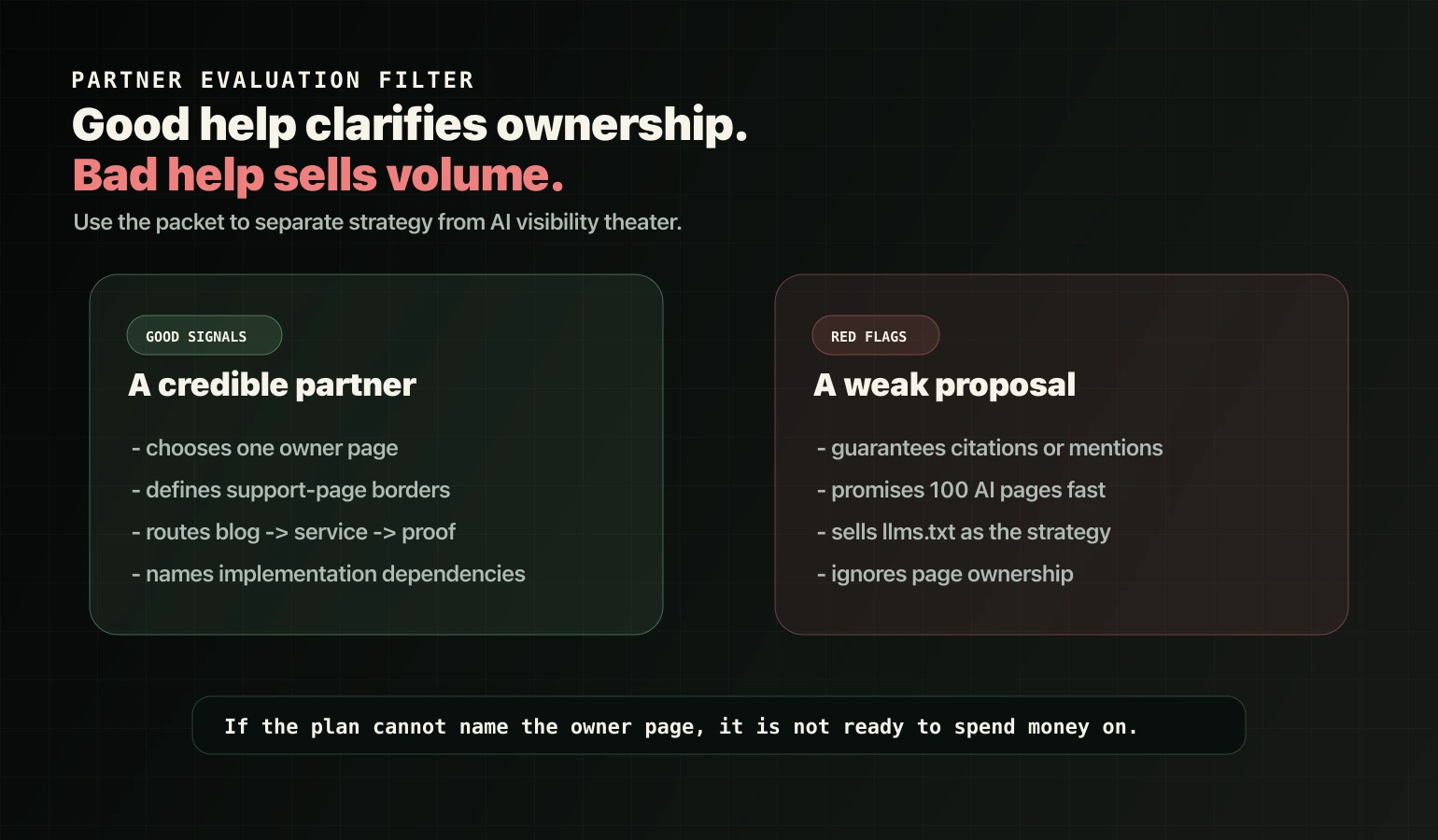
Red flags:
- guaranteed AI citations or mentions,
- publishing large volumes of AI pages fast,
- treating
llms.txtas the whole strategy, - no owner-page decision,
- no explanation of implementation dependencies,
- no plan for measuring qualified inquiries.
Google's current guidance for generative AI search still points back to foundational SEO, useful content, crawlability, and clear structure. Scaled content abuse is still a spam problem. The AI label does not exempt a bad SEO plan.
FAQ
What access should I give before hiring an AI visibility or SEO partner?
At minimum, provide Google Search Console Full user access, GA4 Analyst access, and CMS editor access. Add users with least-privilege roles instead of sharing passwords. Provide Tag Manager access if tracking changes are part of scope, and hosting, CDN, or WAF access only when technical fixes are required.
Should I give Owner access in Google Search Console?
Start with Full user access for diagnosis and most tasks. Grant Owner only if the partner must manage settings or user access. Full user or Owner access is sufficient for requesting indexing through URL Inspection.
Which GA4 role should I assign to an agency or consultant?
Analyst is a safe minimum for reporting and diagnosis. Use Marketer or Editor only if they are implementing audiences, events, or configuration changes. Use Administrator only when they must manage access or high-level settings.
What pages should I prepare before hiring?
Prepare two lists: revenue pages, such as service pages, contact or booking, and pricing pages; and traffic pages, such as top blog posts and high-impression pages. The work should connect traffic pages to an owner service page, then to proof, then to inquiry.
What priorities should I set before starting?
Define what a qualified lead is, pick one primary service cluster to win first, list constraints such as approvals, developer bandwidth, and compliance, and align on timeline expectations for signals, outcomes, and compounding.
Source notes
- Google: Do you need an SEO?
- Google Search Console: users and permissions
- GA4: access and data-restriction management
- OpenAI: overview of OpenAI crawlers
- Google: optimizing for generative AI features
Next step
If you want the first move mapped to your actual site, start with Search + AI Visibility or use the Free Clarity Call route.