

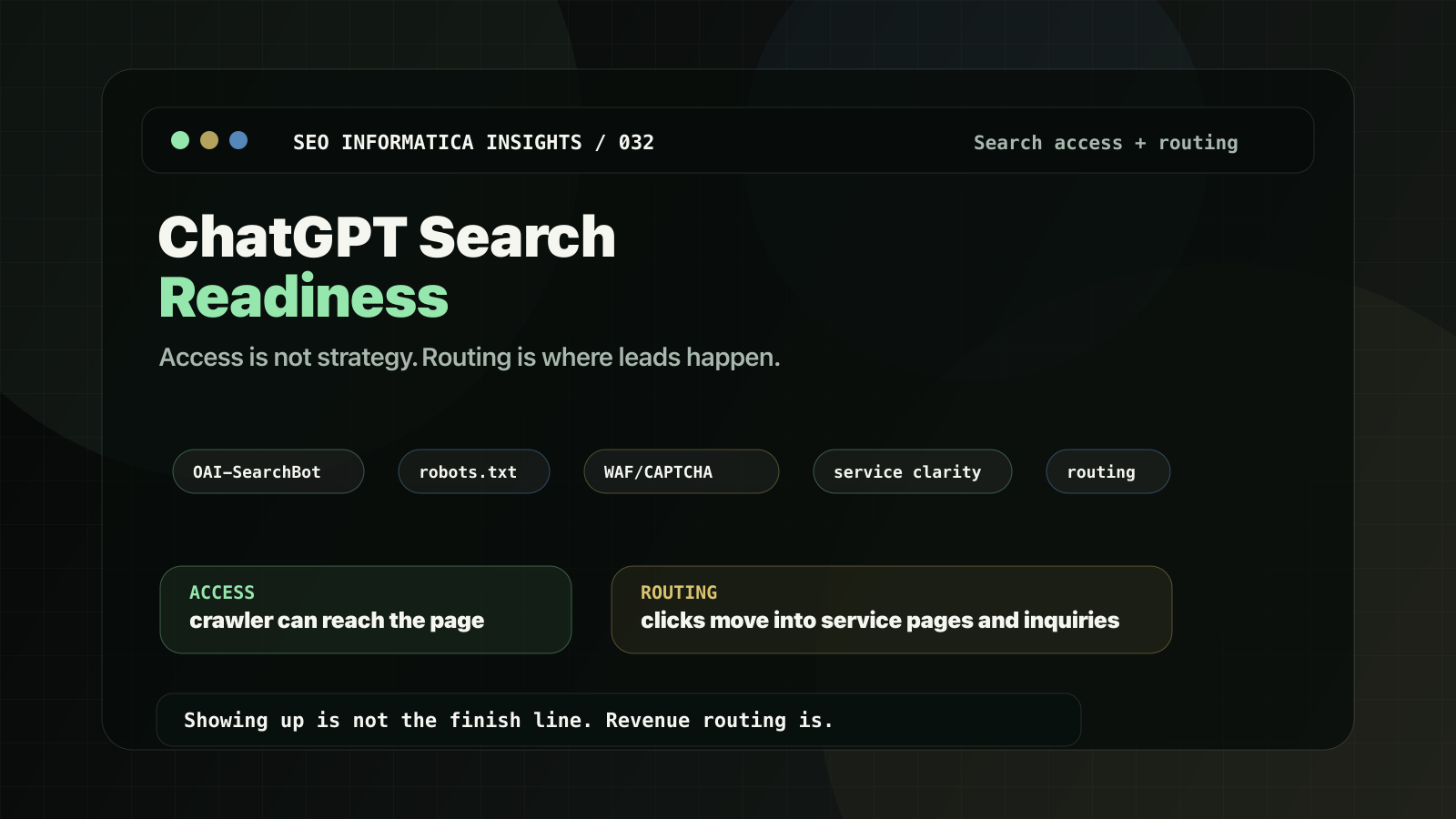
If you are asking, "How do I get my site to show up in ChatGPT search?", the answer is not a secret tactic.
You need two things:
- Access: ChatGPT's search crawler must be allowed to crawl the pages you want surfaced.
- Routing: when ChatGPT sends a click, the landing page must clearly explain the service and route the visitor to the right next step.
This guide is written for service businesses, where visibility only matters if it turns into qualified inquiries.
If you want this implemented on your site:
Search + AI Visibility: https://seoinformatica.com/search-ai-visibility/
Start with a Free Clarity Call: https://seoinformatica.com/start/
What ChatGPT search readiness actually means
ChatGPT can show websites in search results. OpenAI's help documentation says public websites can appear in ChatGPT search, and that sites should avoid blocking OAI-SearchBot if they want content included in summaries, snippets, citations, and links.
Most "we are not showing up" issues are not mystical. They usually come from:
OAI-SearchBotblocked inrobots.txt,- WAF/CDN bot protection returning
403, - CAPTCHAs or JavaScript challenges stopping crawlers,
- thin or ambiguous service pages,
- dead discovery, where support content earns visibility but does not route to a service or inquiry path.
Step 1: Understand the bots before you touch robots.txt
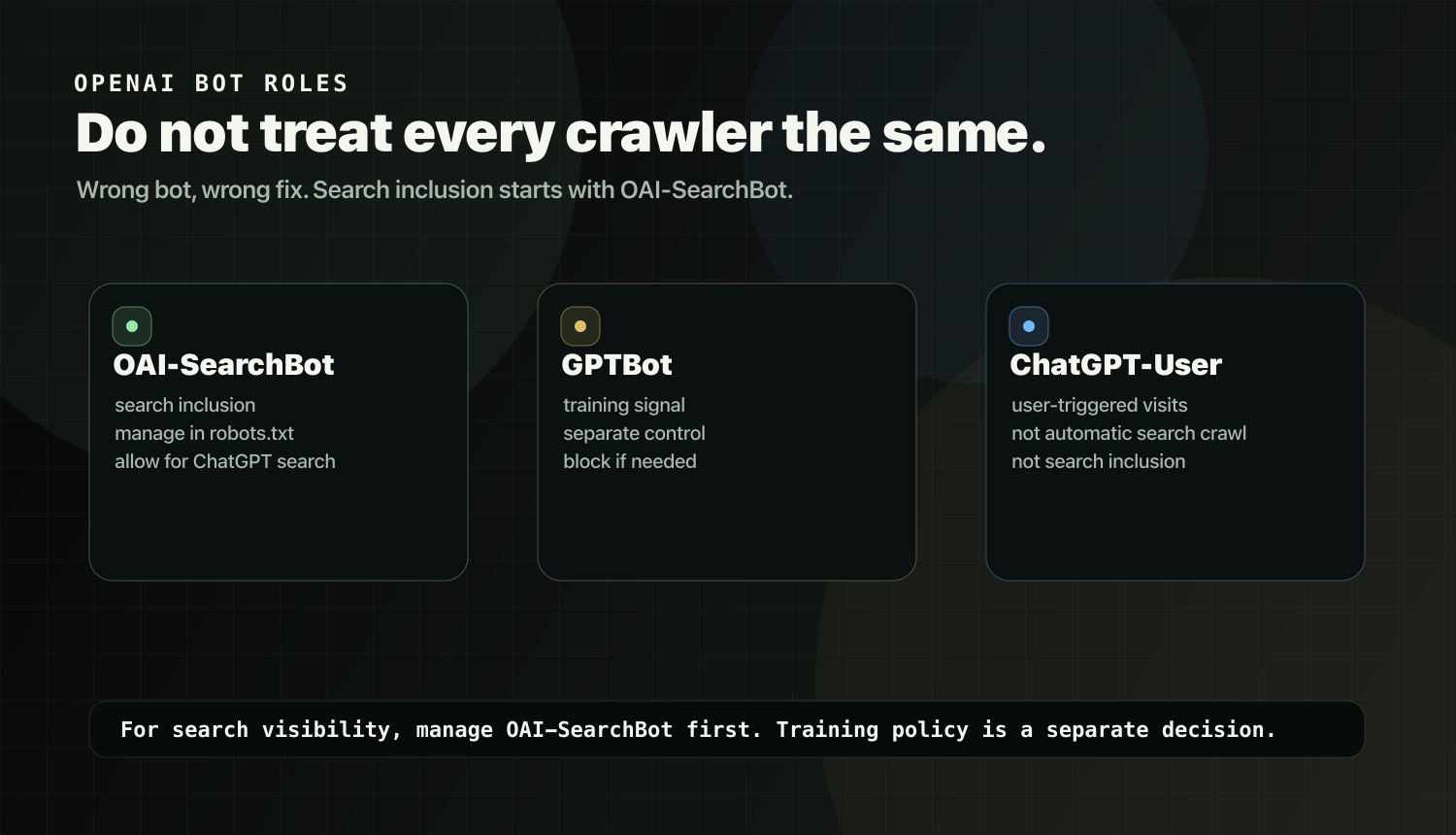
OpenAI documents multiple crawlers and user agents. Do not treat them as one bot. That is how bad fixes happen.
OAI-SearchBot: search inclusion
OAI-SearchBot is the crawler OpenAI documents for surfacing websites in ChatGPT search features.
This is the primary bot to manage if the goal is ChatGPT search visibility.
GPTBot: training
GPTBot is the crawler OpenAI documents for crawling content that may be used in training its generative AI foundation models.
If you want ChatGPT search visibility but do not want your content used for training, you handle GPTBot separately.
ChatGPT-User: user-triggered visits
ChatGPT-User can appear when a user action causes ChatGPT or a Custom GPT to visit a page. OpenAI says it is not used for automatic web crawling and is not used to determine whether content appears in Search.
Practical takeaway:
If you are optimizing for ChatGPT search inclusion, OAI-SearchBot is the primary bot to manage.
Step 2: Confirm OAI-SearchBot is allowed in robots.txt
Start with the basic control surface.
Check your robots.txt and make sure you are not disallowing OAI-SearchBot.
Robots.txt recipe: allow ChatGPT search, block training
User-agent: OAI-SearchBot
Allow: /

User-agent: GPTBot
Disallow: /
Robots.txt recipe: allow both search and training
User-agent: OAI-SearchBot
Allow: /

User-agent: GPTBot
Allow: /
Robots.txt recipe: block ChatGPT search
User-agent: OAI-SearchBot
Disallow: /
Important nuance:
OpenAI says sites opted out of OAI-SearchBot will not be shown in ChatGPT search answers, though they can still appear as navigational links. Its publisher FAQ also notes that if OpenAI gets a disallowed URL from third-party signals, ChatGPT may still show just the link and page title in some cases.
If you do not want that, use noindex, but the crawler must be allowed to crawl the page to read the tag.
Treat this like traditional search controls: decide what you want discoverable, what you want excluded from summaries, and what you want removed from Search entirely.
Step 3: Remove access blockers
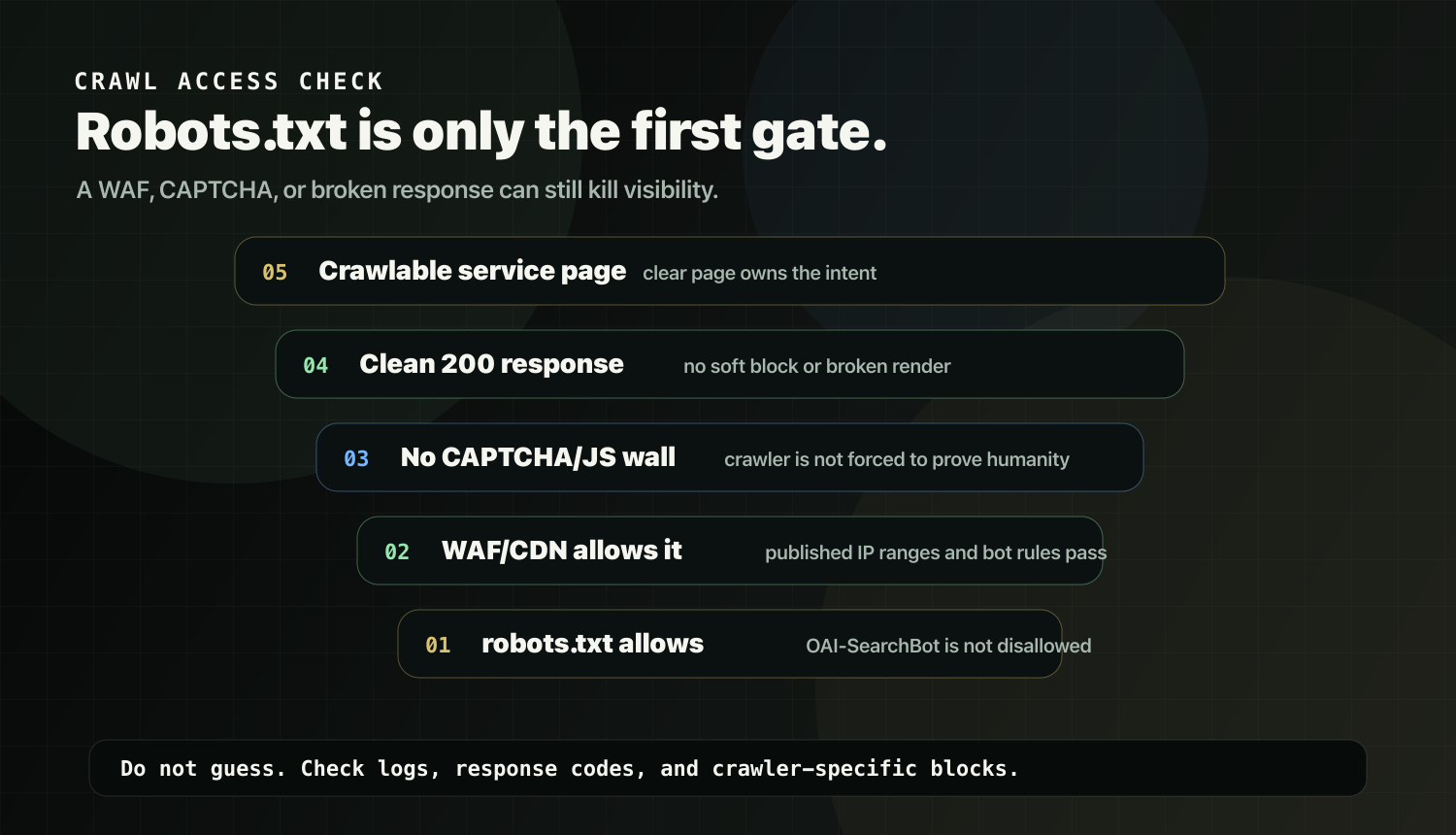
Even if robots.txt is correct, your stack can still block crawlers.
Common symptoms in logs:
403 Forbiddenfrom firewall, WAF, or CDN rules,429 Too Many Requestsfrom rate limiting,- repeated JavaScript challenges,
- CAPTCHA pages,
- crawler requests never reaching the origin.
Practical order:
- Allow
OAI-SearchBotinrobots.txt. - Make sure the host or CDN allows traffic from OpenAI's published
OAI-SearchBotIP ranges. - Review WAF/CDN bot rules for false positives.
- Exempt
OAI-SearchBotfrom human verification logic where appropriate. - Check whether key service and support URLs return clean
200responses to crawlers.
If you suspect a technical block, do not guess:
Technical SEO: https://seoinformatica.com/technical-seo/
Step 4: Make the pages citable
Allowing crawling is only half the job. A crawled page is not automatically a useful page.
Service businesses need pages that clearly state what matters.
On the page that owns the service intent, add these modules:
- what the service is,
- who it is for and not for,
- how it works,
- pricing factors,
- timeline factors,
- proof,
- one primary next step.
The trash version is a vague service page with a contact button and no decision support. That may be crawlable, but it gives search systems and buyers very little to work with.
If you want a structured checklist:
Service Page SEO Checklist: https://seoinformatica.com/service-page-seo-checklist/
If you want the broader framework behind AI visibility as clarity:
AI Visibility for Service Businesses: https://seoinformatica.com/ai-visibility-for-service-businesses/
Step 5: Make the site routable
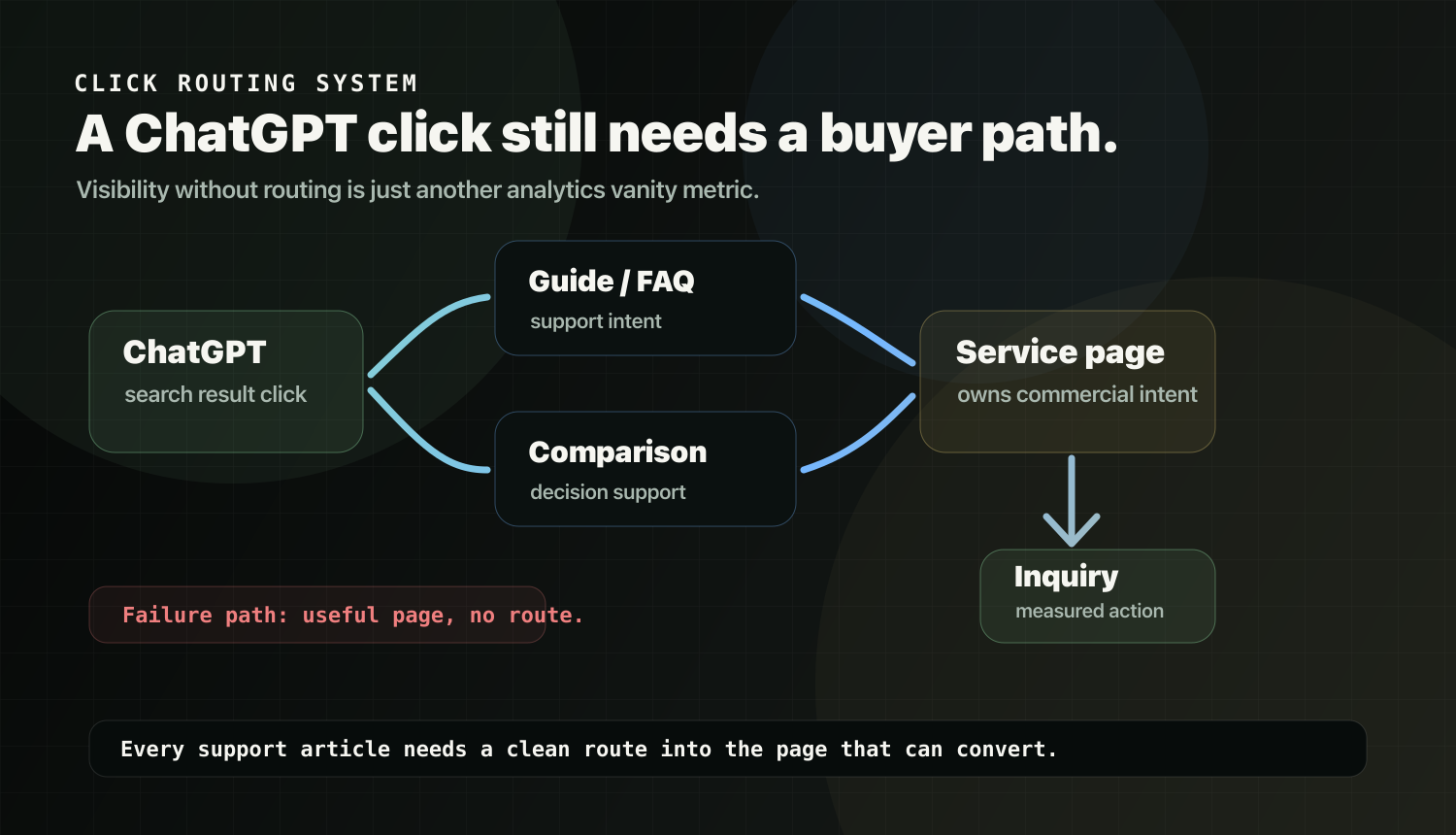
ChatGPT search clicks can land on:
- a guide,
- an FAQ,
- a comparison,
- a definition page,
- or a "what is" explainer.
If that page does not route to your service page, you get visibility without leads.
That is not a visibility problem. That is a business design problem.
Add a routing module to every relevant support article:
If you need help with [problem], our [service] focuses on clarifying your pages, strengthening decision support, and routing discovery into qualified inquiries.

Explore [service page]: [URL]
Example for this topic:
If you want your site to be easier for search and AI systems to interpret, and easier for visitors to convert from, explore:
Search + AI Visibility: https://seoinformatica.com/search-ai-visibility/
If you are getting traffic but it is not converting, fix routing before publishing more:
Why Your Website Gets Traffic But No Leads: https://seoinformatica.com/why-your-website-gets-traffic-but-no-leads/
Step 6: Make forms and buttons understandable
OpenAI's publisher and developer FAQ says making your site more accessible helps ChatGPT Agent in Atlas understand it better, and specifically points to ARIA labels, roles, and states for interactive elements such as buttons, menus, and forms.
Service-business translation:
- label form fields clearly,
- use descriptive button text,
- avoid "click here" buttons with no context,
- make navigation understandable,
- do not bury critical actions behind unclear widgets.
This is good for accessibility and reduces interaction ambiguity.
Step 7: Track ChatGPT referral traffic
OpenAI says ChatGPT automatically includes utm_source=chatgpt.com in referral URLs from ChatGPT search results.
Start with a simple baseline:
- Identify landing pages receiving ChatGPT traffic.
- Check whether those pages route to a service page or contact action.
- Improve routing modules before chasing more content volume.
If you want a full GA4 tracking setup and reporting view, that should be a separate guide. Do not turn this article into an analytics manual.
Quick checklist: why you still may not show up
If you have allowed OAI-SearchBot and still see nothing, check:
- WAF/CDN blocking with
403, - rate limiting with
429, - CAPTCHA or JavaScript challenge pages,
- thin or ambiguous service pages,
- weak internal links,
- robots.txt changes that need time to be picked up,
- no clear conversion route from support content to service pages.
If you want a diagnosis-led next move:
SEO Audit vs SEO Diagnosis: https://seoinformatica.com/seo-audit-vs-seo-diagnosis/
Or book a Free Clarity Call: https://seoinformatica.com/start/
Official references
- OpenAI: Overview of OpenAI Crawlers: https://developers.openai.com/api/docs/bots
- OpenAI Help: ChatGPT Search: https://help.openai.com/en/articles/9237897-chatgpt-search
- OpenAI Help: Publishers and Developers FAQ: https://help.openai.com/en/articles/12627856-publishers-and-developers-faq
ChatGPT Search readiness route
Separate crawler access from source quality. A page can be reachable and still weak as a citation source.